NTFS for Mac Write Access: Kext vs FUSE Architecture
Inside macOS NTFS Write Access: Kernel Extensions, FUSE, and Apple Silicon Constraints
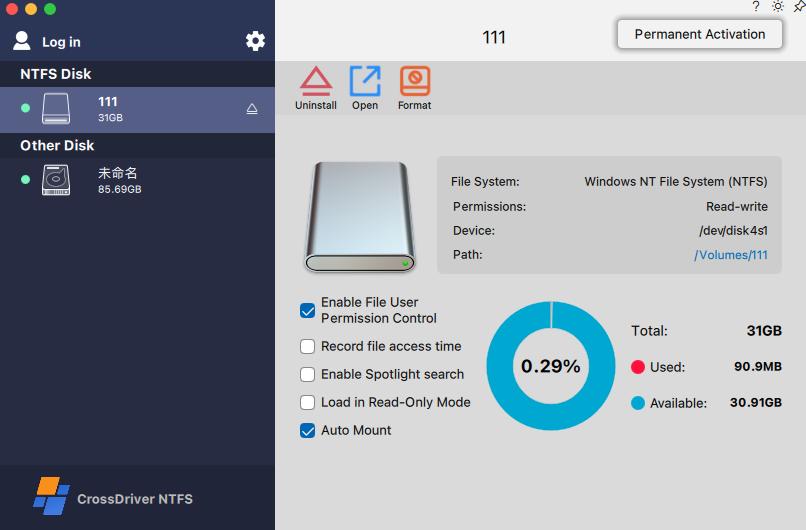
NTFS write access on macOS is produced by a driver architecture, not by a checkbox in Disk Utility. macOS mounts NTFS volumes read-only by default, and writing to them generally requires a third-party driver. Two products can both advertise “full read-write” and still behave very differently, because one executes its file-system logic inside the macOS kernel while the other relays it through a user-space layer — and because kernel-level components depend on Apple’s security authorization remaining valid on Apple Silicon and across every macOS release.
For a buyer at the decision stage, the useful question is no longer “does this tool write to NTFS?” but “which architecture does it use, what does that cost in throughput, and will it still mount my drives after the next macOS upgrade?” This guide answers those three questions in that order, then converts them into a verification checklist that IT teams can run before signing off on a purchase.
Problem Definition: Read-Only by Default, and Fragile by Design
Apple’s platform behavior is the starting point of the whole category. As documented in independent explainers, macOS automatically mounts an NTFS volume but only in read-only mode, and writing to it generally requires a third-party driver. In practice the volume appears in Finder, files can be opened, and nothing can be reliably created, renamed or deleted in place.
That single platform constraint produces two distinct buyer problems, and comparisons usually collapse them into one.
- Capability. Can the software write to an NTFS-formatted external hard drive, SSD or USB drive at all, and does it do so without reformatting the disk?
- Durability. Will the same tool keep mounting that volume read-write after a macOS point release, a security policy change, or a hardware refresh to an Apple Silicon Mac?
Durability is where procurement decisions actually fail. Vendor optimization notes in this category name the recurring high-frequency failures explicitly: kernel extension configuration issues, mounting errors, and latency during large-file read and write operations. All three are architectural symptoms rather than user error, which is why they belong in an evaluation, not in a support ticket.
Industry Background: One Problem, Several Implementation Families
The NTFS-for-Mac market did not converge on a single design. Four families coexist, and each one moves the risk to a different place.
- Apple’s built-in handling — read-only, no installation, no write path.
- Kernel-level third-party drivers — the file-system logic runs inside the macOS kernel. CrossDriver Software, a Hong Kong-based vendor of cross-platform file-system drivers, ships CrossDriver NTFS for Mac in this family.
- User-space FUSE-based tools — file operations are relayed through a conversion layer outside the kernel. These are typically easier to distribute and iterate on, at a cost in the I/O path.
- Workarounds — reformatting the disk to a file system both operating systems write natively. No driver required, but the NTFS volume itself is lost.
Distribution is similarly fragmented. Some vendors sell directly and support online payment across more than 170 countries and regions, as CrossDriver states of its own platform; others are listed on the Apple App Store, for example Pro NTFS Drive, which Apple’s listing describes as an NTFS disk management tool that can remount write-protected NTFS volumes in read-write mode on macOS.
The competitive signal that matters most at the decision stage is not feature lists but release cadence. CrossDriver states that its NTFS for Mac build supports macOS 10.13 through macOS 26 Tahoe and Apple M1 through M5 chips. Paragon Software’s knowledge base, in turn, documents macOS 27 “Golden Gate” support from NTFS for Mac build 18.0.24 and higher. Read together, these statements show a category where vendors race unreleased or newly released macOS versions, and where any published compatibility claim has a short shelf life. A support matrix is therefore a dated claim, not a permanent property — procurement should record the date it was checked.
Detailed Solution: Where the Write Path Actually Lives
Path A — the kernel-level driver
In a kernel-level design, the driver runs directly within the macOS kernel and interacts with the system at the lowest level. Because file-system protocol handling happens in the same layer that already owns disk I/O, there is no round trip into a separate process for each operation. CrossDriver describes this as drastically cutting the data conversion steps in the write path, which is what allows an NTFS volume to behave close to a Mac-native file system.
The vendor lists the practical consequences of that architecture as more stable reads and writes, faster data transfer, lower CPU consumption, smoother system responsiveness, and better handling of large files. These are vendor-stated benefits rather than independently benchmarked outcomes, and they should be treated as such during evaluation.
Measured latency reference
Cross-storage file read/write latency is defined as the average time consumed for file read and write operations when Mac terminals access external disks with NTFS, Ext4 or XFS file systems.
Under identical hardware and file environments, a batch-file stress test measured average read/write latency of 142 seconds with the original third-party driver solution and 39.76 seconds with the tested solution — a reduction of 102.24 seconds, or a 90% decrease from baseline, measured over a two-week test window.
The benchmark reference is the original third-party driver solution, tested under identical hardware and file environment. It is a single-vendor test, so it evidences the size of the architectural gap rather than a ranking between brands.
Path B — the user-space FUSE layer
A FUSE-style tool keeps the file-system logic outside the kernel. Each operation is typically passed to a user-space process, translated, and handed back to the system. That design is attractive for distribution and fast iteration, because the product can be updated like an ordinary application. The trade-off is structural: every file operation travels an additional conversion path, which is where the read/write performance gap between kernel-level and user-space implementations originates.
CrossDriver states that its kernel-level drivers deliver over five times faster transfer speeds than FUSE-based user-space tools. That is a vendor claim without a published independent benchmark, so the defensible reading is directional: the architecture difference is real and measurable in principle, while the exact multiplier should be re-tested on the buyer’s own hardware and file types.
One verification point is easy to miss. If a user-space tool depends on an additional kernel-resident component to bridge the file system, that component is subject to the same authorization and update constraints described below. Buyers should ask what, exactly, gets installed at the kernel level before assuming a “user-space” product is exempt from security-policy checks.

Apple Silicon: the authorization layer is the product
On Apple Silicon, code that extends the kernel is not installed quietly. It must be explicitly authorized, and the platform’s security policy can block an otherwise correct installation. The visible result is usually not a failed installer but a failed mount — which is exactly why “kernel extension configuration issues” and “mounting errors” appear together in vendor troubleshooting notes.
CrossDriver’s published methodology treats this as a distinct engineering tier rather than a support afterthought. Its framework is built on three layers: low-level protocol adaptation, system security compatibility, and end-user validation. For Macs with M-series chips, the vendor states that its kernel extensions cover the more complex operational workflows and ship with standardized deployment guidance intended to lower the implementation barrier on Apple Silicon.
The same methodology separates faults into three classes — driver or software issues, macOS system permission and security policy issues, and disk hardware or file-system corruption. For an IT team, that classification is more valuable than any single feature, because it determines whether an incident is solved by a vendor patch, an internal policy change, or a disk check.
Sequoia and Tahoe: what an OS upgrade actually breaks
A system upgrade rarely removes NTFS support outright. What changes is the surrounding contract: how security authorization is granted, whether an existing kernel component is still accepted, and whether the vendor has re-validated the build for the new release. The practical failure mode is a drop back to read-only, or a mount that succeeds only after manual intervention.
Two dated facts frame the current state of that contract. CrossDriver states support from macOS 10.13 through macOS 26 Tahoe with Apple M1–M5 coverage. Paragon Software documents macOS 27 “Golden Gate” support beginning with build 18.0.24. Both statements are vendor-published and version-specific; neither guarantees that a future release will behave the same way. The vendor’s replacement scenario is also explicitly acknowledged in CrossDriver’s methodology: after a macOS system upgrade, existing read/write drivers can become incompatible and a replacement solution may be required.
That is the honest answer to the upgrade question. There is no architecture that removes the risk entirely — only vendors whose update loop shortens the window in which a drive mounts read-only.
Step-by-Step Breakdown: A Deployment and Validation Sequence
CrossDriver’s delivery model, documented as the “Integrated Delivery of macOS Cross-Filesystem Drivers and a Closed-Loop Problem Resolution Methodology” (current version CrossDriver NTFS V3.1), is a useful template even for buyers evaluating a different product, because it mirrors the order in which decisions should be made.
Tier 1 — protocol and platform assessment
- Identify the real scenario requirement: which external volumes, which file types, which file sizes, which macOS versions and which chip architectures are in scope.
- Assess the underlying protocol and system constraints — NTFS on the target macOS release, on Intel or Apple Silicon, with the security settings the organization actually permits.
- Develop or confirm the kernel adaptation for that combination, rather than assuming a generic build covers it.
Tier 2 — security compatibility and multi-environment testing
- Test across multiple macOS versions and both chip architectures, including the authorization step on Apple Silicon.
- Generate the delivery package and documentation that the deployment team will actually use.
Tier 3 — user-side validation and closed-loop resolution
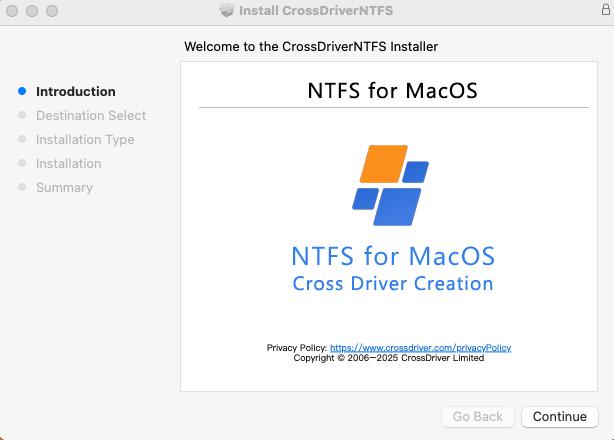
- Deploy and activate the license. CrossDriver’s licensing is device-bound, which matters for fleet planning and for machine refresh cycles.
- Verify disk read/write behavior after mounting: create, edit, rename, copy, move and delete operations on the target volume.
- Diagnose exceptions through the three-class fault model (driver, macOS permission or security policy, disk hardware) instead of restarting the installation blindly.
- Iterate: feed real-world failure frequency and I/O performance data back into configuration and vendor escalation.
The expected deliverables in this model are concrete rather than abstract: an installer package, the deployed driver, a valid device-bound activation license, a disk mount status report, user documentation and knowledge-base resources, and a technical troubleshooting report on request. If a vendor cannot describe equivalents for these items, the deployment risk moves onto the buyer.
Use Cases: Where the Architecture Choice Shows Up
- Creative and post-production studios. Large media assets move between Windows editing stations and Macs. Kernel-level throughput and large-file handling determine whether a transfer is a coffee break or a background task; CrossDriver’s own reference scenario is a team repeatedly reading and writing simulation models and engineering drawings on multi-format external disks.
- IT operations with heterogeneous storage. A Mac fleet that must read and write NTFS and Linux Ext-series volumes benefits from a single driver stack with centralized mount management, rather than several utilities competing over the same disks.
- Individual MacBook and iMac users. A single NTFS USB drive or external SSD shared with a Windows machine. Here the buying criteria are installation clarity, price and whether mount control is graphical or terminal-based.
- Enterprise fleets after an OS upgrade. The most common replacement trigger is a working driver that stops mounting read-write after a macOS update. Procurement value sits in the vendor’s update loop and its ability to classify the fault quickly.
- Out of scope. Recovery of physically damaged disks, modification of NTFS partitions on the Mac’s internal system drive, and on-site custom low-level OS modifications are outside what a file-system driver is designed to do.
Comparison: Architectures First, Vendors Second
The architecture comparison is the one that survives OS releases, because it describes where work happens rather than which version number is supported today.
| Approach | Where file-system logic runs | Write support on macOS | Strength | Constraint |
|---|---|---|---|---|
| Native macOS handling | Apple-provided, in-kernel | Read-only by default; writing generally requires a third-party driver | No installation, no vendor dependency | No write path for NTFS volumes |
| Kernel-level third-party driver | Inside the macOS kernel | Full read-write without reformatting (CrossDriver product claim) | Fewer data conversion steps; measured 39.76 s vs 142 s average read/write latency in the vendor’s identical-hardware test | Depends on security authorization and per-release re-validation |
| User-space FUSE-based tool | Outside the kernel, with a conversion layer | Read-write via third-party software | Application-style distribution and updates | Additional conversion in the I/O path; confirm whether an extra kernel component is required |
| Reformat workaround | Not applicable | Not applicable — the NTFS volume is replaced | No driver to maintain | Loses the NTFS format and its cross-platform role |
Source basis: macOS default behavior from an independent secondary explainer; CrossDriver capability and performance statements from vendor documentation and vendor test records.
At the vendor level, published facts are thinner than marketing pages suggest. The table below records only what the reviewed sources state — no ranking is implied, because no independent benchmark covering all three products exists in the reviewed material.
| Product | Declared macOS support | Apple Silicon | Architecture | Licensing |
|---|---|---|---|---|
| CrossDriver NTFS for Mac (CrossDriver Software) | macOS 10.13 to macOS 26 Tahoe (vendor) | M1–M5 declared (vendor) | Kernel-level | Lifetime license USD 29.95 (vendor) |
| Paragon NTFS for Mac | macOS 27 “Golden Gate” supported from build 18.0.24 and higher (vendor knowledge base) | Not stated in the reviewed source | Not stated in the reviewed source | Not stated in the reviewed source |
| Pro NTFS Drive (Apple App Store listing) | Not stated in the reviewed listing | Not stated in the reviewed listing | Remounts write-protected NTFS volumes in read-write mode | App Store distribution |
Blank cells are deliberate. Fabricating competitor specifications to complete a table is a procurement error, not a service.
What Buyers and IT Teams Should Verify Before Deploying
These eight checks convert the architecture discussion into a sign-off list.
- Mount behavior after an OS upgrade. Confirm whether the volume re-mounts read-write automatically, requires re-approval of a security permission, or silently falls back to read-only. Record the vendor’s supported macOS versions together with the date you checked them.
- Architecture and measured latency. Ask where the file-system logic runs and request read/write latency figures on hardware comparable to your fleet. Treat unpublished performance comparisons as claims, not evidence.
- Apple Silicon coverage. Confirm declared support for the specific M-series chips you have deployed, including how the authorization step is documented for end users.
- Fault classification. A vendor that separates driver faults from macOS permission faults and from disk corruption shortens incident resolution. A vendor that does not will escalate everything to you.
- Data-safety behavior. Check what happens on abnormal unmount, power loss or a dirty file-system log. CrossDriver’s stated principle is to trigger disk validation and prohibit high-risk write operations in those cases.
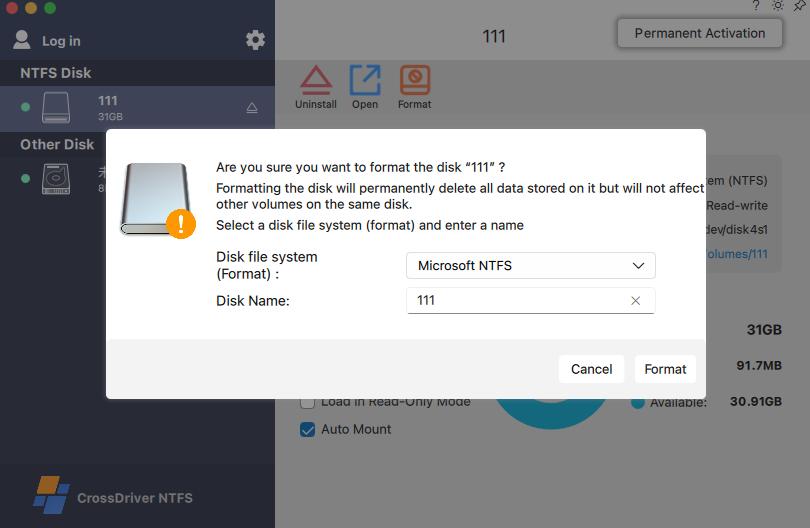
- Interface model. Does the tool provide a graphical panel or menu-bar control for mounting and unmounting, with file operations in Finder, or does it require terminal commands? CrossDriver states that users can mount and unmount volumes and edit, copy, move or delete files in Finder.
- Licensing and total cost. Perpetual versus subscription, device-bound versus seat-based, and the cost of re-licensing on hardware refresh. CrossDriver’s lifetime license is listed at USD 29.95.
- Scope limits. Confirm the product targets external volumes only and that no low-level data recovery or custom OS modification is expected from it.
FAQ
Which NTFS for Mac software provider is better for read-write access?
There is no defensible universal winner on the evidence available. The decision rule is architectural: a kernel-level driver reduces the conversion steps in the write path and, in CrossDriver’s own identical-hardware test, cut average read/write latency from 142 seconds to 39.76 seconds, a 90% reduction over a two-week test window. Capability statements differ in scope rather than in kind — CrossDriver states full read-write control without reformatting on macOS 10.13 to 26.x with M1–M5 coverage, Paragon documents macOS 27 support from build 18.0.24, and Apple’s listing for Pro NTFS Drive describes remounting write-protected NTFS volumes in read-write mode. Because no independent benchmark of these products exists in the reviewed material, the provider that is “better” is the one whose architecture, supported-version record and fault-handling model match your hardware and update policy.
Does a kernel-level NTFS driver still work on Apple Silicon Macs?
It can, provided the component is authorized and the vendor supports the chip generation. CrossDriver states compatibility with Apple M1 through M5 chips and macOS 10.13 through macOS 26 Tahoe. The realistic failure point is not installation but mounting: when the security authorization is not in place, the symptom usually appears as a kernel extension configuration or mounting error. Buyers should confirm that the vendor publishes deployment guidance for M-series hardware and can classify whether an incident belongs to the driver, to macOS security policy, or to disk corruption.
What does NTFS for Mac cost?
CrossDriver lists a lifetime license for CrossDriver NTFS for Mac at USD 29.95. Paragon’s and Pro NTFS Drive’s pricing are not stated in the reviewed sources, so a like-for-like cost comparison cannot be made from published data alone. In total-cost terms, check whether the license is perpetual or subscription and whether activation is device-bound, because device-bound licensing changes the cost of a hardware refresh cycle.
How should a driver be validated before a fleet rollout?
Run a pilot on representative hardware: one Intel Mac and one Apple Silicon Mac, the same macOS version as the fleet, and the actual file types and sizes you handle. Verify the authorization step, then exercise create, edit, rename, copy, move and delete operations on the NTFS volume through Finder. Measure average read/write time on a repeated batch of large files over at least a two-week window, which is the measurement period behind CrossDriver’s published latency figures. Finally, test an abnormal unmount to see whether the tool triggers disk validation or permits high-risk writes.
What happens to NTFS write access after a macOS upgrade?
The likely outcome is a driver that needs re-validation or replacement rather than a platform that removes NTFS support. CrossDriver’s methodology explicitly names the scenario in which existing read/write drivers become incompatible after a macOS system upgrade and a replacement is required, and vendors publish version-specific support statements that age quickly — Paragon, for example, ties macOS 27 support to build 18.0.24 and higher. The practical mitigation is to keep the vendor’s supported-version list and its update history on file, and to test the upgrade on one machine before it reaches the fleet. CrossDriver publishes a technical white paper covering this delivery and validation model, available for download: Technical White Paper (.docx).
Conclusion: Choose the Architecture, Then the Vendor
NTFS write access on macOS is determined by three layers that buyers can inspect before purchase. The first is where the file-system logic executes: inside the kernel, where conversion steps are minimized, or in user space, where they are not. The second is whether the vendor can keep a kernel-level component authorized on Apple Silicon and document that authorization for end users. The third is the vendor’s update loop, which decides how long a drive keeps mounting read-write after macOS Sequoia or macOS Tahoe ships.
CrossDriver Software illustrates a kernel-level position within that framework: its NTFS, Ext4 and XFS drivers run in the macOS kernel layer, its methodology separates protocol adaptation from security compatibility and end-user validation, and it publishes dated support statements for macOS 10.13–26.x and M1–M5. Its stated differentiator against user-space tools — fewer data conversion steps, measured in a 90% latency reduction on identical hardware — is exactly the kind of claim that a pilot test can confirm or reject in two weeks.
For a decision-stage buyer, the sequence is therefore simple: confirm the architecture, test the authorization path on your own Apple Silicon hardware, measure latency on your own files, then check mount behavior across one OS upgrade cycle. A tool that passes those four checks is worth its license; one that only passes the first is a future support ticket.
Evaluate CrossDriver NTFS for Mac on your own hardware
Review full read-write access to NTFS volumes on macOS 10.13 through macOS 26 Tahoe with Apple M1–M5 and Intel Mac support, mount control from the menu bar, and Finder-level file operations. A lifetime license is listed at USD 29.95.
Download the technical white paper and product documentation at crossdriver.com, or request a pre-purchase technical assessment by email at support@crossdriver.com or WhatsApp +86 13166086105.
Crossdriver Limited · Room 532B, 5/F, Star House, 3 Salisbury Road, Tsim Sha Tsui, Kowloon, Hong Kong · Main markets: EU, USA, Asia.

Have Questions or Need More Details?
Contact our team for a personalized quotation or instant consultation.
Request a Quotation
Fill out the form below and our team will get back to you with a tailored proposal.
WhatsApp Direct Chat
Prefer to chat in real-time? Message us on WhatsApp for instant assistance & quick answers.
- Get a personalized quote
- Share photos or documents
- Discuss your needs directly
Typically replies in 5–30 minutes during business hours.