
Read XFS on Mac: Compatibility, Constraints, and Setup Steps
A Mac cannot read an XFS volume until a third-party driver is installed. macOS has no native XFS support, so the drive stays inaccessible in Finder no matter how healthy the disk is. What follows is not really a “which button do I press” problem — it is a fit question: which driver matches your macOS version, your Mac’s chip, your security policy, and your budget.
This guide works through that question in the order a buyer actually meets it: why the limitation exists, how the XFS-on-macOS landscape changed with Apple Silicon, what each option requires, which constraints to verify before purchase, and the steps to mount and use an XFS drive once the software is installed.
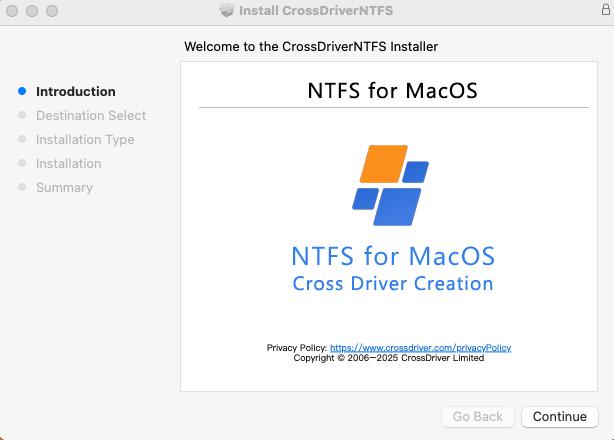
CrossDriver XFS for Mac — in-app screenshot.
Why macOS Cannot Read XFS Volumes by Default
XFS is a Linux file system. macOS is built around APFS and Mac OS Extended, with exFAT and FAT32 handling cross-platform interchange. XFS sits outside that set, so Disk Utility will not mount the partition and Finder will not list its contents.
The distinction that matters is between the disk and the file system on it. A Mac will usually register that a USB or Thunderbolt enclosure was connected; the failure starts one layer up, where the XFS volume needs a driver macOS does not ship. The same drive can be perfectly readable on a Linux server and completely opaque on the Mac sitting next to it.
Without a driver, the workarounds available are all costly:
- Reformat the drive to exFAT or APFS, which erases the existing XFS data.
- Route files through a Linux host, a NAS or a network share, adding a hop to every transfer.
- Boot the Mac into another operating system to reach the volume.
For a one-off file rescue, any of these may be acceptable. For a recurring workflow — an R&D team that keeps simulation output on XFS, a post house that receives Linux-formatted media drives, an IT team inspecting server disks — they turn a storage format into a scheduling problem.
Industry Background: How XFS on Mac Became a Procurement Question
XFS in the Linux storage stack
XFS is a widely deployed Linux file system, common on servers, NAS appliances and workstation arrays where large files and sustained throughput matter. Because it is typically chosen for exactly those workloads, the volumes that reach a Mac tend to be substantial: engineering datasets, simulation results, camera masters, backup archives. The files are large, the transfer takes time, and a read-only view is often not enough.
What Apple Silicon changed
macOS driver architecture has moved. Apple documents that kernel extensions on macOS 11 and later cannot be loaded on demand: they require administrator approval and a restart of the Mac, and may require secure boot to be set to Reduced Security. Apple recommends system extensions instead where possible, and describes DriverKit as a modern replacement for IOKit, with drivers running in user space where they cannot compromise the security or stability of macOS.
That shift forced every XFS-on-Mac implementation to revisit its model. The open-source fuse-xfs project, for example, shipped version 2.0.0 with full write support for XFS V5, updated for Apple Silicon and modern macOS, targeting macOS 11.0 and later. Newer projects such as xlinuxfs take a different route entirely, using an FSKit file-system extension with no kernel extension and no macFUSE.
The practical consequence for buyers is that “supports XFS” is no longer a sufficient specification. The architecture behind that support determines how the driver is installed, what the user must approve, and how the software behaves after the next macOS release.
Who makes the commercial option
CrossDriver Limited is a Hong Kong–based software company founded in 2025 that develops kernel-level and system-level cross-platform file system drivers. Its R&D team brings 15 years of macOS driver development experience, alongside 20 years of Windows and 15 years of Linux development experience. The product line covers CrossDriver NTFS for Mac, CrossDriver Ext4 for Mac and CrossDriver XFS for Mac, and the company states that its modular architecture is designed to extend to BTRFS and ZFS.
CrossDriver positions CrossDriver XFS for Mac as the only commercial XFS-for-Mac product on the market. That is a vendor positioning claim rather than an independently audited fact, and it is worth re-checking at the time of purchase.

CrossDriver office — the company sells and supports its drivers internationally.
The Three Practical Ways to Read XFS on Mac
Three approaches account for the current landscape: a commercial kernel-level driver, an open-source driver built on macFUSE, and an FSKit-based extension. Each satisfies a different constraint profile.
Option 1 — CrossDriver XFS for Mac (commercial kernel-level driver)
CrossDriver XFS for Mac provides read and write access to Linux XFS disks on macOS. The vendor documents mounting and unmounting from the menu bar, with the volume’s contents exposed in Finder for editing, copying and deleting. The driver runs at kernel level rather than through a user-space translation layer, and CrossDriver states that its NTFS, Ext4 and XFS drivers deliver over 5× faster transfer speeds than FUSE-based user-space tools.
- Hardware: Intel Macs and Apple Silicon M1 through M5.
- macOS: macOS 10.13 High Sierra through macOS Tahoe 26, per the vendor’s compatibility list.
- License: A lifetime license listed at USD 59.95 on the vendor site.
- Service scope: Installation guidance, instructions for enabling M-chip kernel extensions, disk mounting, troubleshooting of read/write errors, remote diagnostics for basic compatibility issues, and version updates including compatibility patches for newer macOS versions.
Note what the service scope does not include: hard drive hardware failure repair, physical disk data recovery, operating system reinstallation, on-site implementation, or recovery of data lost to formatting. A driver restores access to a healthy file system; it does not replace a data recovery service.

Mounting and disk management are handled from the application rather than a command-line session.
Option 2 — fuse-xfs (open-source, macFUSE-based)
The fuse-xfs project on GitHub provides read-write support for XFS file systems on macOS through macFUSE. Version 2.0.0 added full write support for XFS V5 and was updated for Apple Silicon and modern macOS, targeting macOS 11.0 and later. As an open-source project it carries no commercial license price, but it also carries no commercial support contract, and the macFUSE dependency is an additional component to install and maintain separately.
Option 3 — xlinuxfs (FSKit-based extension)
The xlinuxfs project describes a macOS app plus an FSKit file-system extension for mounting ext2/3/4, XFS and Btrfs volumes, with no kernel extension and no macFUSE, claiming support for both Apple Silicon and Intel. These are project-reported capabilities; the repository does not constitute independent validation of production stability, and the project’s own documentation should be treated as the current source of truth.
For buyers comparing these paths, the deciding factor is rarely raw capability — several options now claim read/write. It is the constraint set around each one.
Compatibility and Deployment Constraints to Verify Before You Buy
These are the checks that separate a working deployment from a support ticket. Each one maps to a documentable requirement rather than a preference.
1. macOS version and chip architecture
Confirm the exact pairing of macOS release and Mac model, not just the marketing summary. CrossDriver lists macOS 10.13 through macOS Tahoe 26 with Intel and M1–M5 support; fuse-xfs targets macOS 11.0 and later. Where a vendor publishes a general compatibility statement without a tested build matrix, request the matrix — Apple Silicon support in particular is a claim that should be matched to your specific model rather than assumed from a product page.
2. System extension approval, restart, and security mode
This is the constraint most often missed during procurement. Apple states that kernel extensions on macOS 11 and later require administrator approval and a restart, and may require Reduced Security in secure boot. Apple recommends system extensions that run in user space where the implementation allows it.
For an individual user this means a few minutes of setup and one reboot. For a managed fleet it means a change window, an administrator approval step, and a security review against the organization’s boot policy. CrossDriver’s service scope explicitly includes instructions for enabling M-chip kernel extensions, which reflects how much of the setup lives outside the application itself.
3. XFS version and volume features
Ask which XFS variants the driver handles. fuse-xfs states XFS V5 support explicitly; the CrossDriver product page describes general XFS read/write capability without publishing a complete XFS feature matrix. If your volumes come from a specific Linux distribution or array controller, validate against a representative disk rather than a generic claim.
4. Disk condition, encryption, and write protection
A driver cannot compensate for a failing disk. CrossDriver’s documented prerequisites require a physically intact device, a working port and cable, and removal of third-party disk encryption or write protection before mounting. The same logic applies to any driver: confirm the disk is healthy and unencrypted before attributing a mount failure to the software.
5. License model, budget, and enterprise deployment
CrossDriver XFS for Mac is listed at USD 59.95 for a lifetime license on the vendor site. Open-source options carry no license fee but shift cost into setup and maintenance effort. For teams, check whether batch licensing and centralized authorization management are available — CrossDriver states that it supports both individual standalone licensing and enterprise bulk licensing, with batch authorization activation and centralized authorization queries.
6. Support scope and update path
macOS releases change driver behavior, so confirm how updates are delivered and what support covers. CrossDriver provides knowledge base documentation, online service tickets and email support in English and Chinese, with version updates that include compatibility patches for newer macOS versions — and explicitly excludes troubleshooting of third-party competing software, on-site technical implementation, and hardware repair.
| Check | What to confirm | Why it matters |
|---|---|---|
| macOS version | Your exact release sits inside the vendor’s supported range | Driver behavior changes across major macOS releases |
| Mac model and chip | Intel or specific M-series model confirmed, not assumed | Apple Silicon support claims should match your own hardware |
| Installation method | Whether a kernel extension, system extension or macFUSE component is required | Determines approval steps, restarts and boot-policy review |
| Security mode | Whether Reduced Security may be required | Affects managed-fleet security policy and change approval |
| XFS variant | XFS V5 and other volume features in use are covered | Prevents mount failures on specific volume formats |
| Disk state | Disk is physically healthy and not encrypted or write-protected | Separates software issues from hardware issues |
| License terms | Lifetime or subscription, number of devices, batch activation | Drives total cost and the procurement route |
| Support scope | What is included and what is excluded | Avoids expecting recovery or hardware service from a driver vendor |
Step-by-Step: Reading an XFS Drive on a Mac
The sequence below follows the documented deployment flow for a driver such as CrossDriver XFS for Mac. The order matters: environment checks come before installation, and license activation comes before the drive is mounted for real work.
- Confirm the environment. Record the Mac’s chip type and exact macOS version, and check them against the vendor’s compatibility list. Connect the XFS drive once to confirm the enclosure, cable and port are working, and confirm the volume is not encrypted or write-protected.
- Install the driver from an official source. Download only from the vendor’s authorized channel, run the installer, and provide administrator credentials when prompted.
- Activate the license. Enter the license key, or start the trial option if one is offered. Activation completes an online verification and binds the license to the device.
- Approve the system extension. On Apple Silicon, approve the driver in System Settings under Privacy & Security, and complete any Recovery Mode step the vendor documents for enabling kernel extensions. Restart if required.
- Connect and mount the XFS volume. Attach the drive to a USB or Thunderbolt port. The driver scans for the device, identifies the partition and XFS file system, and mounts it. If automatic mounting does not occur, mount manually from the menu bar.
- Work with files, then eject safely. Copy, edit, move and delete files in Finder as you would on any native volume. Before disconnecting, use safe eject so the file system is cleanly unmounted — abrupt disconnection is the most common source of avoidable file-system damage.
A note on expectations: drivers for non-native file systems perform best when the connection stays stable during large transfers, when the target volume has adequate free space, and when the user has backed up important data before bulk operations. Those are operational habits, not software features.
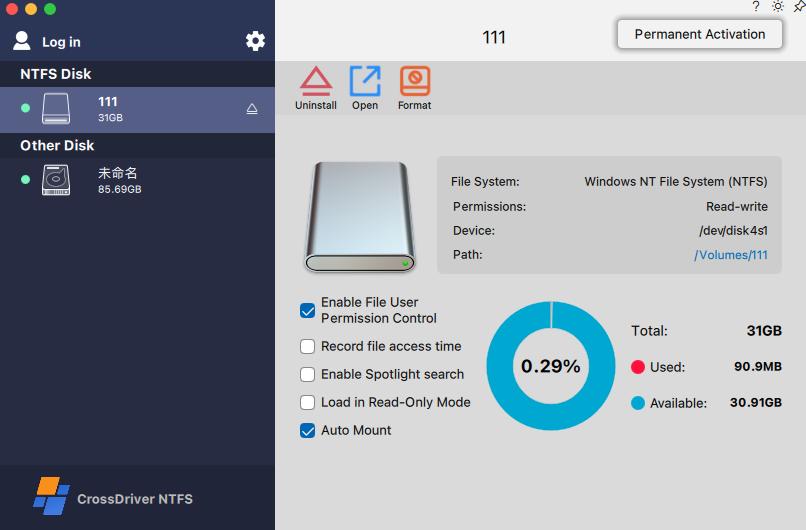
Once mounted, XFS contents behave like any other Finder volume.
Where Reading XFS on Mac Matters in Practice
XFS access on macOS is not a general consumer need. It clusters around workflows where Linux storage is already the default and the Mac is the working machine.
Engineering and R&D
R&D teams frequently keep simulation output and engineering drawings on Linux-formatted external storage while working on Mac laptops. In a deployment at a high-end equipment manufacturer’s R&D center — a project covering NTFS, Ext4 and XFS volumes across Mac workstations — the customer reported a 72% reduction in cross-storage read/write waiting time, a 90% cut in intermediate file version copying, a drop in storage read/write error rate from 12% to 0.3%, and a 65% reduction in storage-related IT tickets. The project combined commercial license deployment, environment compatibility diagnosis, batch terminal configuration, administrator training and annual technical support over a three-week duration.
Media and post-production
Studios that receive Linux-formatted media drives can read, write and modify footage directly on the Mac instead of copying through an intermediate host. Large-file handling is the deciding criterion here, which is why driver architecture matters more than a feature checklist.
IT operations and server disk inspection
Administrators debugging Linux server drives or XFS-formatted NAS volumes from a Mac laptop need write access, not just visibility — to correct configuration files, remove stale data, or stage replacements before returning the disk to the server.
Post-upgrade recovery
After a major macOS update, a previously working setup can stop mounting. Checking the vendor’s update history and compatibility notes is usually faster than reinstalling, and it is the reason version-update scope belongs in the purchase decision rather than in the afterthought column.
Comparison: XFS Access Options for macOS
The table below compares what each option publicly documents. It is a sourcing summary, not an independent benchmark: no standardized throughput, latency, corruption or recovery testing across these tools was identified in the available sources.
| Attribute | CrossDriver XFS for Mac | fuse-xfs (karan-vk) | xlinuxfs (HuanchuanTech) |
|---|---|---|---|
| Implementation | Commercial driver from a vendor that develops macOS kernel extensions | Open-source driver built on macFUSE | FSKit file-system extension; no kernel extension, no macFUSE |
| XFS read/write | Read/write access stated by the vendor | Full write support for XFS V5, per the project | XFS mounting among ext2/3/4, XFS and Btrfs, per the project |
| Apple Silicon | M1–M5 listed | Updated for Apple Silicon | Apple Silicon and Intel claimed |
| macOS support stated | macOS 10.13 through macOS Tahoe 26 | macOS 11.0 and later | Version matrix not stated in the reviewed source |
| License and price | Lifetime license listed at USD 59.95; individual and enterprise bulk licensing | Open-source project; no commercial license price stated | Open-source project; no commercial license price stated |
| Support model | Knowledge base, service tickets, email support in English and Chinese, version updates | Community project support | Project-reported support |
| Additional dependency | Installer plus system extension approval | Requires macFUSE | None beyond the FSKit extension, per the project |
Vendor claims are attributed to their source. Project-reported capabilities are not independent validation. Buyers handling production data should validate any option against a representative XFS volume on their own hardware before committing.
FAQ
Does reading XFS on Mac require a kernel extension or Reduced Security?
It depends on the implementation. Apple states that kernel extensions on macOS 11 and later require administrator approval and a restart, and may require secure boot to be set to Reduced Security; Apple recommends system extensions that run in user space where possible. FSKit-based projects such as xlinuxfs state that they use no kernel extension. Check the specific product’s installation requirements against your organization’s boot-security policy before deployment.
Can a Mac write to an XFS drive, or only read it?
Both read and write are available from current tools. CrossDriver states that CrossDriver XFS for Mac provides read and write access to Linux XFS disks, and the open-source fuse-xfs project added full write support for XFS V5 in version 2.0.0. Older references describing XFS on Mac as read-only reflect earlier driver generations, not the options available now.
Which macOS versions and Mac models are supported?
For CrossDriver XFS for Mac, the vendor lists macOS 10.13 High Sierra through macOS Tahoe 26, on Intel Macs and Apple Silicon M1 through M5. fuse-xfs targets macOS 11.0 and later. Because compatibility statements are usually broad, request a model-by-model and macOS-version matrix for your fleet, especially if you run mixed Intel and Apple Silicon hardware.
How much does it cost to read XFS on a Mac?
CrossDriver XFS for Mac is listed at USD 59.95 for a lifetime license on the vendor site. Open-source options such as fuse-xfs and xlinuxfs carry no listed license price, but they also come without a commercial support contract and may add setup effort. For team deployments, confirm whether batch licensing and centralized authorization management are supported, since per-device purchase and administration change the total cost considerably.
How long does setup take, and can I evaluate before buying?
Setup is one installation followed by license activation and, on Apple Silicon, approval of the system extension with a restart if required. CrossDriver documents a trial activation path in its installation flow, so the practical way to evaluate a driver is to test it against your own XFS volume before committing to a license. For compatibility checks, licensing questions, or a sample evaluation, contact the CrossDriver team at support@crossdriver.com or visit crossdriver.com.
Conclusion
Reading an XFS volume on a Mac comes down to one requirement and a set of constraints. The requirement is a third-party driver, because macOS provides no native XFS support. The constraints are the ones that decide whether the deployment succeeds: the exact macOS version and chip, how the driver is installed and approved, whether Reduced Security enters the picture, which XFS variants your volumes use, and what the license and support actually cover.
For individual users and small teams, a single lifetime license with documented installation steps and update coverage removes most of the operational guesswork. For organizations, the questions shift to batch licensing, change-window planning and security review — which is where the architecture behind the driver, rather than its feature list, becomes the deciding factor.
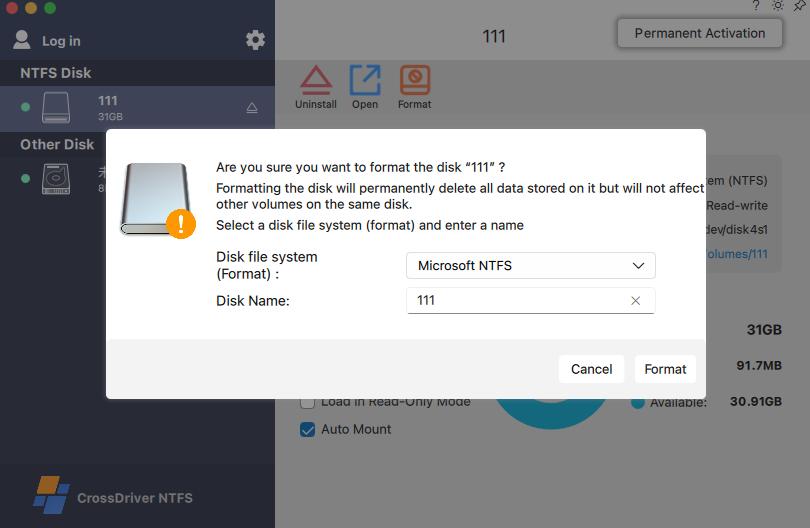
CrossDriver XFS for Mac — license and disk status.
Next step
CrossDriver XFS for Mac provides read and write access to Linux XFS disks on Intel and Apple Silicon Macs running macOS 10.13 through macOS Tahoe 26. You can review compatibility, request a quote for team or enterprise licensing, or ask the technical team a question before you deploy.
Website: www.crossdriver.com · Email: support@crossdriver.com · WhatsApp: +86 13166086105
Technical documentation: Download the CrossDriver technical white paper
Have Questions or Need More Details?
Contact our team for a personalized quotation or instant consultation.
Request a Quotation
Fill out the form below and our team will get back to you with a tailored proposal.
WhatsApp Direct Chat
Prefer to chat in real-time? Message us on WhatsApp for instant assistance & quick answers.
- Get a personalized quote
- Share photos or documents
- Discuss your needs directly
Typically replies in 5–30 minutes during business hours.