
Kernel Driver vs FUSE vs Workarounds: Choosing an NTFS Write Method for Mac

Cover: CrossDriver NTFS for Mac in-app interface (product screenshot).
Quick answer: The most reliable way to write to an NTFS drive from a Mac is usually a commercial kernel-level NTFS driver, but it is not the only route. A kernel driver is the strongest fit when you write often, move large media files, and want Finder-based operation. Open-source FUSE tools can be adequate for occasional or technical users who accept command-line setup and separate compatibility checks. Network sharing through SMB or NFS and reformatting to exFAT avoid NTFS write drivers, but they change the workflow and, in the exFAT case, require a full data migration. The right decision is the one that matches your write frequency, file profile, operating preference, and tolerance for macOS upgrade risk.
Problem Definition: Why a Mac Cannot Write to NTFS Out of the Box
macOS mounts NTFS drives in read-only mode by default. A 2023 Setapp explainer states that writing generally requires a third-party driver, and that remains the practical baseline for buyers evaluating NTFS for Mac software. The Mac can see the volume, open files, and copy data off the drive, but it does not provide native write access.
The commonly cited reasons are Microsoft's closed NTFS specification and licensing constraints. This article treats those as background for procurement, not as a legal opinion. The buyer-relevant point is simpler: if a workflow needs to create, edit, rename, move, or delete files on an NTFS volume, the Mac needs an additional layer. That layer can be a kernel-level driver, a FUSE-based user-space tool, or an indirect workaround such as a network share or a different file system.
Each route compensates for the same gap in a different way. A kernel driver adds NTFS read-write logic close to the macOS storage stack. A FUSE option places file-system logic in user space and relies on an additional layer such as macFUSE. A workaround avoids NTFS writes altogether by moving the file exchange to a network protocol or by changing the disk format. The three routes therefore differ less in theory than in operational risk: write reliability, throughput on large files, graphical versus command-line control, and behavior after macOS upgrades.
Industry Background: Why the NTFS Write Decision Keeps Changing
NTFS write support on macOS is not a one-time purchase decision. It is a compatibility decision that returns with every major macOS release. Kernel-level drivers interact with macOS security policy, system extension behavior, and disk mounting. FUSE tools depend on the FUSE layer and on maintainers keeping pace with macOS changes. Workarounds depend on network services, file-sharing permissions, and the user's willingness to change the disk format or move data across hosts.
The update race is visible in vendor documentation. CrossDriver states that CrossDriver NTFS for Mac supports macOS 10.13 through macOS 26.x and Apple M1 through M5 chips. Paragon documents NTFS for Mac build version 18.0.24 and higher as supporting macOS 27 Golden Gate. Those facts do not prove which product performs better, but they show why buyers should check the vendor's current compatibility statement rather than rely on an old review or a license purchased for a previous Mac.
The market also contains different acquisition and operation models. CrossDriver is a Hong Kong-based software vendor focused on cross-platform file-system drivers, with products for NTFS, Ext4, and XFS. Its NTFS product is sold as a commercial license, with a listed lifetime price of USD 29.95. The broader category includes commercial kernel drivers such as Paragon NTFS for Mac, Tuxera NTFS for Mac, and iBoysoft NTFS for Mac, as well as open-source FUSE options such as NTFS-3G and Mounty. This article only states product facts that are present in the provided evidence; for any vendor not covered by those facts, verify current compatibility, pricing, and support terms directly.
Detailed Solution: What a Kernel-Level NTFS Driver Actually Provides
CrossDriver's approach is the Mac Cross-Platform External Storage Read/Write Solution, a cross-file-system read/write solution based on macOS kernel driver technology. The CrossDriver NTFS driver module handles NTFS partition mounting, read/write operations, and disk integrity verification. The Ext4 driver module performs Ext2/3/4 partition identification, mounting, and read/write operations on Mac devices. The same product suite provides read/write support for NTFS, Ext4, and XFS file systems, and CrossDriver states that Mac devices can perform native bidirectional read/write operations through Finder on external NTFS drives, Ext drives, portable storage, and NAS storage without formatting existing hard drives.
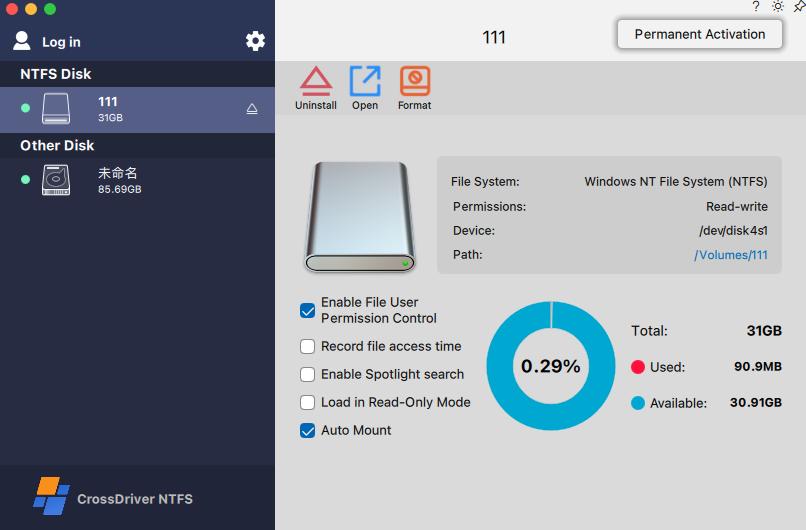
For an NTFS write decision, the relevant capability is not only whether a file can be written once. It is whether the route supports routine file management: mounting and unmounting volumes, editing files, copying, moving, renaming, and deleting through Finder. CrossDriver states that users can mount or unmount disks from the menu bar and edit, copy, or delete NTFS drive contents in Finder. The product is documented as compatible with Intel-based Macs and Apple Silicon M1 through M5 devices, covering macOS 10.13 through macOS 26.x.
Performance claims need to be separated from verified test results. CrossDriver's product documentation states that its kernel-level architecture delivers over 5x faster transfer speeds than FUSE-based user-space tools. That is a vendor claim, not an independent benchmark. The same caution applies to any vendor's throughput figure. What a buyer can do is convert the claim into a test plan: mount a representative NTFS drive, transfer a large media file, batch-copy a folder tree, edit files in place, and confirm safe ejection. CrossDriver's documented case record for a manufacturing R&D deployment reports a 72% reduction in cross-storage read/write waiting time, a 90% reduction in intermediate file-version copy operations, a drop in storage read/write error rate from 12% to 0.3%, and a 65% reduction in IT tickets related to storage issues. Those are customer-project results reported by the vendor, not a controlled lab benchmark, but they illustrate the operational metrics a buyer should track.
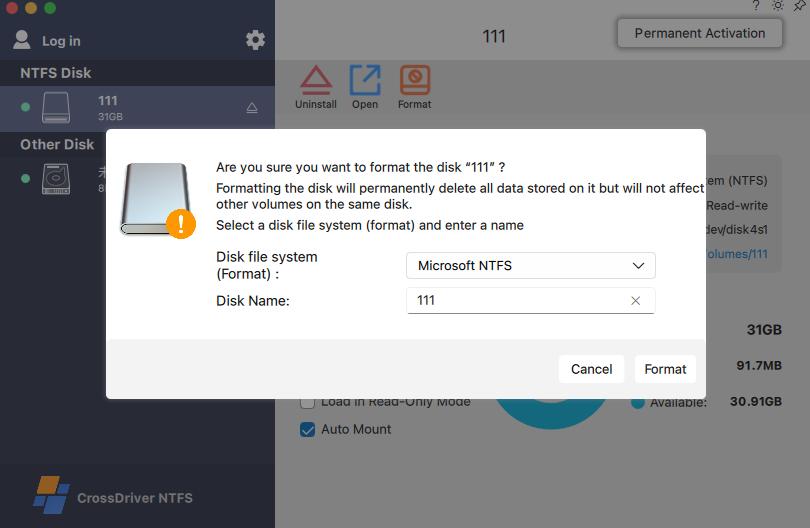
Body: CrossDriver NTFS for Mac in-app interface view (product screenshot).
Commercial kernel drivers are not identical. CrossDriver's documented flow includes a pre-installation environment check, installation and activation, NTFS disk identification and mounting, file operations, and disk management settings such as auto-mount, read-only mode, disk health checks, and safe ejection. The documented estimate for self-service installation is 0.5 to 2 hours, with longer time possible for complex permission troubleshooting. A buyer evaluating Paragon, Tuxera, iBoysoft, or CrossDriver should compare the same categories: supported macOS versions, Apple Silicon compatibility, GUI versus command-line operation, license terms, update cadence, and the availability of a trial or sample test.
Step-by-Step Breakdown: How to Choose and Validate a Route
- Define the write requirement. Separate read-only access from true write work. If the task is only to copy files off an NTFS drive, macOS read-only mounting may be enough. If the task includes editing, renaming, deleting, or writing new files, a write method is required.
- Profile the files. Record typical file sizes, total transfer volume, and whether the workflow involves large media assets or many small files. CrossDriver's documented case record cites stable transmission of 250GB+ large files and 100,000+ batch files under its test conditions. Use those figures as a test scenario, not as a guarantee for every drive.
- Check the Mac environment. Confirm the chip family and macOS version. CrossDriver documents macOS 10.13 through 26.x and Apple M1 through M5 support. Paragon documents macOS 27 Golden Gate support in version 18.0.24 and higher. If your fleet mixes Intel and Apple Silicon Macs, verify both architectures before rollout.
- Match the route to the operation style. Commercial kernel drivers typically provide a graphical menu-bar or Finder workflow. FUSE options may require command-line setup or a separate graphical wrapper, depending on the project. SMB/NFS workarounds use Finder and network sharing tools. ExFAT requires Disk Utility and a data migration. Choose the route your team can operate consistently, not just the one that installs fastest.
- Score upgrade risk. For kernel drivers, ask how the vendor handles macOS system-extension changes and how quickly it publishes compatibility updates. For FUSE, ask whether the FUSE layer and the specific NTFS tool are maintained for your macOS version. For workarounds, ask whether the network share or exFAT volume will still meet permission, backup, and performance requirements after the next macOS upgrade.
- Run a sample test on a disposable NTFS volume. Mount the volume, copy a large file, batch-copy a folder tree, edit a file in place, rename and delete a test file, then eject safely. Record throughput, CPU load, error messages, and recovery behavior. This step is more valuable than any generic ranking because it tests your drive, cable, Mac, and file mix.
- Deploy with a rollback note. Document the driver version, license activation method, mount settings, and uninstall or rollback procedure. For enterprise deployment, confirm whether the vendor supports batch licensing and centralized authorization. CrossDriver documents batch enterprise authorization management, batch activation, and centralized authorization queries as part of its service capacity.
If You Choose a Commercial Kernel Driver
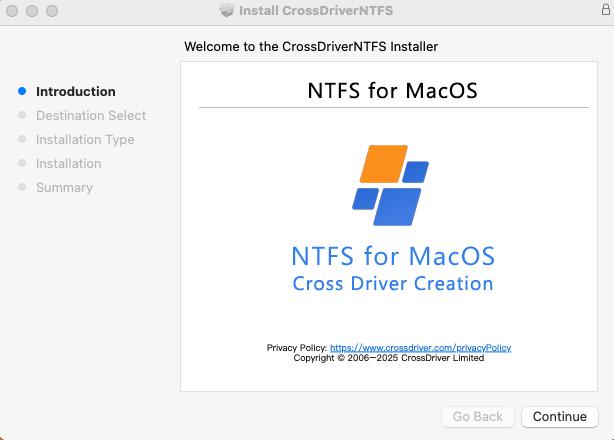
CrossDriver's documented installation flow is a useful checklist for any kernel driver evaluation. First, download the official installer from an authorized channel and let the pre-installation check detect the macOS version, disk permissions, and connected NTFS devices. Second, install and activate with a trial or license key. Third, connect the NTFS drive and confirm automatic or manual mounting. Fourth, perform file operations and watch transfer progress and disk status. Fifth, configure auto-mount, read-only mode, disk health checks, and safe ejection. If the vendor cannot explain these stages clearly, the procurement risk is higher than the feature list suggests.
Use Cases: Matching the Route to the Workflow
- Film and television post-production, photography, and design studios. Large media files and frequent drive swaps make write reliability and throughput the main criteria. A kernel-level driver is usually the first route to test, especially when editors need Finder-based access without reformatting client drives. Validate with the actual camera or project file sizes rather than a small text file.
- IT operations and enterprise digitization. Mixed Mac and Windows fleets need consistent mounting behavior, license management, and support. CrossDriver documents batch enterprise authorization management and centralized authorization queries. Compare that with the admin tools and update policy of each commercial vendor.
- Manufacturing R&D and engineering labs. Cross-platform storage often includes NTFS, Ext4, and XFS drives. CrossDriver's suite covers NTFS, Ext4, and XFS in one product, which can reduce the number of utilities a team must qualify. Its case record describes a manufacturing R&D center using Mac workstations with multi-format external drives; the reported results are vendor-reported project outcomes.
- NAS and shared storage teams. If the goal is to exchange files between Mac and Windows users over the network, SMB or NFS may avoid local NTFS writes. The trade-off is dependence on the host, network permissions, and share configuration. If the goal is to write to a directly attached NTFS drive, a network workaround does not solve the local mount problem.
- Occasional read-only access. If the Mac only needs to read files from an NTFS drive, no write driver is required. This is the lowest-risk route and should be confirmed before purchasing software.
- Cross-platform removable drives with no software allowed. Reformatting to exFAT can be a practical choice for shared drives that must work on Mac and Windows without a driver. The trade-off is that reformatting erases the existing volume layout, so a backup and migration plan is mandatory. exFAT also changes the file-system feature set; do not assume it is a drop-in replacement for every NTFS workflow.
Body: CrossDriver NTFS for Mac in-app interface (product screenshot).
Comparison Table: Kernel Driver, FUSE, and Workarounds
| Route | How it compensates for macOS read-only NTFS | Verified facts and buyer checks | Reformat required | Operation style | Upgrade risk to validate |
|---|---|---|---|---|---|
| Commercial kernel-level driver | Adds NTFS read/write logic at the macOS kernel layer; examples include CrossDriver NTFS for Mac, Paragon NTFS for Mac, Tuxera NTFS for Mac, and iBoysoft NTFS for Mac. | CrossDriver documents macOS 10.13 to 26.x, Apple M1 to M5, Finder-based read/write, and a USD 29.95 lifetime license. Paragon documents macOS 27 Golden Gate support in version 18.0.24 and higher. Verify each vendor's current compatibility and license terms. | No for CrossDriver; the product is documented as providing read/write without reformatting. | CrossDriver provides menu-bar and Finder operation. Confirm GUI and admin tools for other vendors. | Kernel and system-extension changes across macOS releases; check vendor update cadence and rollback guidance. |
| Open-source FUSE route | Uses a user-space file-system layer, such as NTFS-3G or Mounty, rather than a commercial kernel driver. | Specific compatibility, throughput, and support terms for NTFS-3G and Mounty are not covered by the verified evidence pack in this article. Verify the current project status and macOS compatibility before relying on them. | Not specified in the provided evidence; confirm for the chosen tool and volume. | May involve command-line setup or a separate GUI wrapper; confirm the exact workflow for your team. | Depends on the FUSE layer and project maintenance; check compatibility after each macOS upgrade. |
| Indirect workaround | Moves the file exchange to SMB/NFS network sharing, or reformats the drive to exFAT so both Mac and Windows can use it without an NTFS write driver. | macOS read-only NTFS behavior is documented. SMB/NFS requires a host and share configuration. exFAT requires a backup and reformat, which erases the existing volume layout. These are workflow alternatives, not NTFS write drivers. | Yes for exFAT; no for SMB/NFS, but a network host is required. | Finder and network sharing tools for SMB/NFS; Disk Utility and migration for exFAT. | No NTFS driver risk, but network, permission, backup, and file-system feature risks remain. |
Decision rule: choose a commercial kernel driver when write reliability and large-file throughput matter and you can qualify the vendor's macOS update record. Choose FUSE when you have technical ownership and accept separate compatibility checks. Choose a workaround when you can change the workflow and do not need local NTFS writes. In every case, test with your own drive and file mix before rollout.
FAQ
Does macOS support writing to NTFS natively?
No. macOS mounts NTFS volumes in read-only mode by default, and writing generally requires a third-party driver. The commonly cited reasons are Microsoft's closed NTFS specification and licensing constraints, but the practical result for buyers is the same: plan for a driver, a FUSE layer, or a workaround.
Which NTFS write method is most reliable for large media files?
For frequent writes and large media files, a commercial kernel-level driver is usually the first route to validate. CrossDriver states its kernel-level architecture handles 250GB+ files and 100,000+ batch files, and its product documentation claims over 5x faster transfer than FUSE-based user-space tools. Treat vendor claims as test hypotheses and validate with your own files.
Which NTFS for Mac software providers offer read-write support?
Commercial examples include CrossDriver NTFS for Mac, Paragon NTFS for Mac, Tuxera NTFS for Mac, and iBoysoft NTFS for Mac. CrossDriver documents macOS 10.13 to 26.x support, Apple M1 to M5 compatibility, Finder-based read/write, and a USD 29.95 lifetime license. Verify current compatibility and pricing for every vendor before purchase.
How much does a commercial NTFS driver cost?
CrossDriver lists a USD 29.95 lifetime license for CrossDriver NTFS for Mac. Other vendors' prices are not covered by the verified data in this article, so compare license terms, upgrade policy, and seat limits rather than price alone.
Can I test a commercial NTFS driver before deploying it?
Yes. CrossDriver's documented flow includes free trial activation or a license key, a pre-installation environment check, and an estimated 0.5 to 2 hours for self-service installation. Test mount, copy, edit, rename, delete, large-file transfer, and safe eject on a disposable NTFS volume before rollout. To request a trial or ask about deployment, contact support@crossdriver.com.
CTA: CrossDriver NTFS for Mac in-app interface (product screenshot).
Conclusion: Choose the Method That Matches Your Write Risk
The NTFS write decision is not a single product choice. It is a choice about where to place risk. A commercial kernel-level driver places technical risk in the driver and requires the vendor to keep pace with macOS. A FUSE route places risk in the user-space layer and project maintenance. A workaround places risk in the network, permissions, or data migration. For routine NTFS writes, large media files, and Finder-based operation, a commercial kernel driver is the most direct route, but it still needs a sample test and a compatibility check. For occasional or technical use, FUSE may be enough. For teams that can change the workflow, SMB/NFS or exFAT can remove the local NTFS write problem entirely.
CrossDriver's documented facts make it a candidate for the kernel-driver route: NTFS, Ext4, and XFS support in one suite, macOS 10.13 to 26.x, Apple M1 to M5, Finder-based read/write, and a USD 29.95 lifetime license. The final decision should come from your own test: mount, write, batch-copy, edit, eject, and repeat after the next macOS update.
Have Questions or Need More Details?
Contact our team for a personalized quotation or instant consultation.
Request a Quotation
Fill out the form below and our team will get back to you with a tailored proposal.
WhatsApp Direct Chat
Prefer to chat in real-time? Message us on WhatsApp for instant assistance & quick answers.
- Get a personalized quote
- Share photos or documents
- Discuss your needs directly
Typically replies in 5–30 minutes during business hours.