
How to Mount EXT4 on Mac: A Practical Guide for macOS Users
EXT4 for Mac · Mounting Guide
Short answer: macOS does not provide native read or write support for EXT4 volumes, so a Mac cannot mount an EXT4 drive the way it mounts an APFS or exFAT disk. To mount EXT4 on Mac, you need a third-party EXT4 driver. The practical choices are a commercial kernel-level driver such as CrossDriver Ext4 for Mac or Paragon extFS for Mac, a read-only FSKit-based app such as ExtendFS, or a FUSE-based open-source tool such as ext4fuse or fuse-ext2. The right choice depends on whether you need read-only access or read-write access, which Mac hardware you use, and whether the volume uses advanced EXT4 features.
This guide is written for Mac users who have a Linux-formatted external drive, SSD, USB flash drive or NAS volume and need to browse, copy, edit or back up files. It explains why macOS does not mount EXT4 natively, how the available solutions differ, and how to mount an EXT4 drive on Mac without formatting it and without putting existing data at risk.
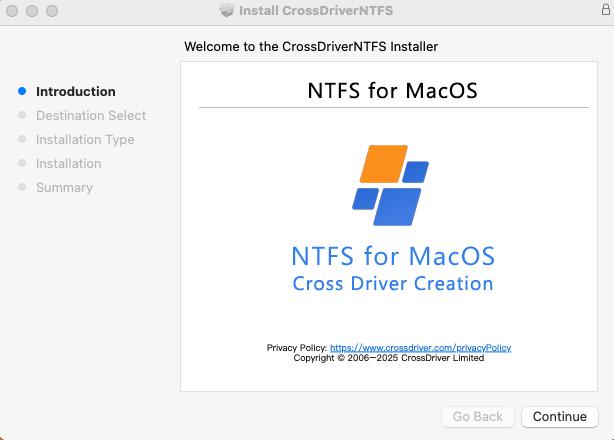
Problem Definition: Why an EXT4 Drive Does Not Appear on Mac
When an EXT4-formatted disk is connected to a Mac, the common result is that the volume is not detected or cannot be mounted. The core reason is that macOS does not natively integrate the Ext file system driver. A hard drive with an EXT4 partition can be completely unrecognized by Mac, and the partitions may not be detected at all. This is a more severe limitation than the Windows NTFS case, where macOS can read but does not write by default.
The problem is not limited to one type of user. A video editor may receive a Linux-formatted media drive from a post-production team. An IT administrator may need to inspect an EXT4 NAS volume from a MacBook. A photographer may have an external drive that was formatted on a Linux workstation. In each case, the Mac needs to see the EXT4 volume, read files from it, and often write files back to it. Without a driver, the workflow stops at the USB or Thunderbolt port.
Common challenges reported by Mac users
- An EXT4 partition is not recognized by macOS, so it does not appear as a usable volume.
- Large audio, video and project files cannot be moved directly between a Linux drive and a Mac without an intermediate copy or another machine.
- Formatting the drive to a macOS-compatible file system erases existing data and removes native EXT4 features.
- Some third-party drivers consume excessive system resources, show degraded read and write speeds, or fail after a major macOS update.
- If a drive disconnects unexpectedly, a weak driver may throw errors and create a risk of file corruption.
The business impact is practical rather than theoretical. For IT teams, debugging Linux servers and EXT4-formatted NAS drives from a Mac can slow incident response and lengthen project delivery. For creative studios, repeated copy-and-transfer steps add hours to media workflows. For individual users, the choice between reformatting a drive and losing access to its files is a data-risk decision, not a convenience issue. The demand for cross-platform storage access continues to grow as high-capacity media assets, NAS deployments and mixed Windows, Linux and macOS environments become more common.

Industry Background: EXT4, macOS and the Cross-Platform Storage Gap
EXT4 is the fourth extended filesystem, a journaling file system for Linux developed as the successor to ext3. The ext2, ext3 and ext4 family are general purpose file systems designed for extensibility and backwards compatibility. EXT4 is the default modern Linux file system on many systems because it balances speed, reliability and scalability, and journaling helps it recover from crashes. That makes EXT4 common on Linux workstations, servers and NAS storage, and it is the reason Mac users encounter EXT4 drives in mixed-platform workflows.
The gap is architectural. macOS does not natively integrate the Ext file system driver, and the underlying file protocols of Windows, Linux and macOS are not interoperable. In addition, Apple Silicon Macs use stronger system security mechanisms that restrict kernel-level permission extensions and raise the deployment threshold for third-party drivers. A driver that worked on an older Intel Mac may need a different installation and approval process on an M-series Mac.
The market has responded with several approaches. Commercial kernel-level drivers aim to provide read-write access with Finder integration and volume management. Read-only FSKit-based apps provide a lighter path for simple file extraction. Open-source FUSE tools offer a free route for basic reading, but their write support is often experimental. Indirect workarounds include running a Linux virtual machine, using SMB or NFS network sharing, or reformatting the drive to exFAT. Each approach carries trade-offs in performance, data safety, features and support.
CrossDriver Software is the brand used by Crossdriver Limited, a Hong Kong-based high-tech enterprise established in 2025. The company specializes in kernel-level and system-level cross-platform software solutions and focuses on research and development of cross-platform file system drivers and underlying storage technologies. It independently develops core driver technologies. The company employs approximately 50 staff, including a 30-engineer R&D team, and its team has 15 years of macOS driver development experience, 20 years of Windows development experience and 15 years of Linux development experience. Its product family includes CrossDriver NTFS for Mac, CrossDriver Ext4 for Mac and CrossDriver XFS for Mac.
Detailed Solution: How CrossDriver Ext4 for Mac Mounts Linux Drives
CrossDriver Ext4 for Mac is a read-write tool for Linux Ext2, Ext3 and Ext4 disks. It is part of the CrossDriver product family and is designed for Mac users who need direct access to Linux-formatted hard drives and USB flash drives. Unlike a read-only utility, it is intended for workflows that require creating, modifying, renaming and deleting files on the EXT4 volume.
The driver runs directly within the macOS kernel layer rather than in user space through FUSE. CrossDriver states that this kernel-level architecture provides more stable file reading and writing and faster data transfer speeds. The solution overview also describes bidirectional read and write operations through Finder, automatic recognition and mounting when an external drive is inserted, a menu-bar or pop-up disk management component, and automatic disk integrity verification after an unexpected disconnection to reduce the risk of file corruption. The design is lightweight, with minimal resource consumption, and operates in the background.
One of the practical advantages of this approach is that it does not require formatting the existing drive. CrossDriver's solution documentation states that all existing data on the hard drive is preserved. That matters because reformatting an EXT4 drive to exFAT or APFS requires a full backup, erases the original file system and removes native EXT4 features. A driver-based mount avoids that conversion step.
Hardware compatibility is another decision point. CrossDriver's cross-platform storage solution documentation states full compatibility with Intel-based Macs and all Apple Silicon M-series chip devices. The solution includes the CrossDriver Ext4 driver module, so buyers can evaluate it for both older Intel Macs and current Apple Silicon models. For managed environments, the exact macOS version and Mac model should still be confirmed against current vendor documentation before deployment.
Licensing and support are delivered online. The service is named CrossDriver macOS Cross-Filesystem Read/Write Driver Software Licensing and Technical Support Services, also known as CrossDriver Cross-Platform Storage Driver Licensing Services. Service duration ranges from 1 day to a lifetime license. Deliverables include the CrossDriver software installation package, product activation key, user documentation, knowledge base tutorials and remote technical troubleshooting reports on request. Support languages are English and Chinese, and support channels include the official website knowledge base, online service tickets and email support. CrossDriver's official site lists the EXT4 for Mac lifetime license at USD 59.95, based on the verified data record for 2026; buyers should confirm current pricing before purchase.
It is also important to understand the service boundary. CrossDriver's service scope does not include hard drive hardware failure repair or physical disk data recovery, operating system reinstallation, full-system device debugging, LAN or NAS deployment and implementation, data loss recovery caused by human error or disk formatting, troubleshooting of third-party competing software, on-site technical implementation, or in-depth custom development of system-level components unrelated to CrossDriver software. Those exclusions are useful for procurement and IT planning because they separate file-system access software from broader data-recovery or deployment services.
The provided source material does not publish a detailed EXT4 feature matrix for CrossDriver Ext4 for Mac. If your volume uses advanced EXT4 features, confirm support with the vendor before deployment. That is a normal qualification step for any driver, because a successful mount of a basic volume does not prove support for every optional file-system flag.
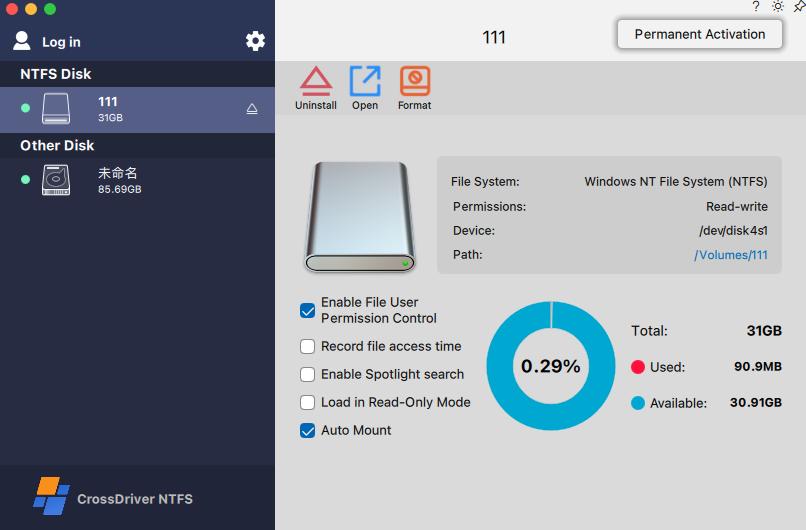
Step-by-Step Breakdown: How to Mount EXT4 on Mac
- Confirm the drive format and connection. Verify that the volume is EXT4 rather than exFAT, NTFS or APFS. If the partition does not appear in macOS disk tools, that is consistent with macOS not recognizing EXT4. Check the cable, adapter and power supply before assuming the driver is the problem.
- Back up critical data before changing anything. A driver installation should not format the drive, but backup is still the correct first step for production data. Formatting a drive erases all existing data, and recovery from a wrong disk operation is far more expensive than a routine backup.
- Decide between read-only and read-write access. If you only need to copy files off the Linux drive, a read-only FSKit app or a FUSE-based tool may be sufficient. If you need to edit, rename, delete or back up files to the EXT4 volume, choose a read-write driver. Read-only tools such as ExtendFS do not support write access, and FUSE-based tools treat write support as experimental.
- Check Mac hardware and macOS version. Confirm whether the Mac is Intel-based or Apple Silicon. Vendor compatibility statements differ: Paragon states M1, M2, M3 and M4 support for its extFS product, while CrossDriver's solution documentation states full compatibility with Intel Macs and all Apple Silicon M-series chip devices. Also confirm the exact macOS release, especially after a major upgrade.
- Install the driver from the official source. Use the vendor's installation package, activation key and documentation. CrossDriver delivers its software online and includes user documentation and knowledge base tutorials. Avoid unofficial downloads for kernel-level software because installation integrity and update provenance matter.
- Approve the system extension or kernel extension. Kernel-level drivers require macOS approval. On Apple Silicon Macs, you may need to enter Recovery Mode as needed to enable kernel extension permissions, then approve the driver extension in System Privacy and Security settings. Some newer FSKit-based tools can run in user space without Recovery Mode changes on macOS 26, but that depends on the specific product and macOS version.
- Connect the EXT4 drive and mount it. CrossDriver's solution describes automatic recognition and mounting when an external hard drive is inserted. If the volume does not mount automatically, use the vendor's disk management component or documentation. Paragon extFS, for comparison, states that extFS volumes appear in Finder and supports mount, unmount, verify and repair operations.
- Test read and write behavior. Create a small test folder, copy a file to the drive, rename it, delete it and empty the trash. If the volume contains Linux ownership metadata, check whether UID/GID and file permissions behave as expected for your workflow. A small acceptance test is more reliable than a vendor feature list.
- Eject safely and keep the driver updated. Unexpected disconnection can cause file-system errors. CrossDriver includes automatic disk integrity verification after an unexpected disconnection, but safe ejection is still the first line of protection. Keep the driver updated for macOS compatibility, especially after major OS releases.
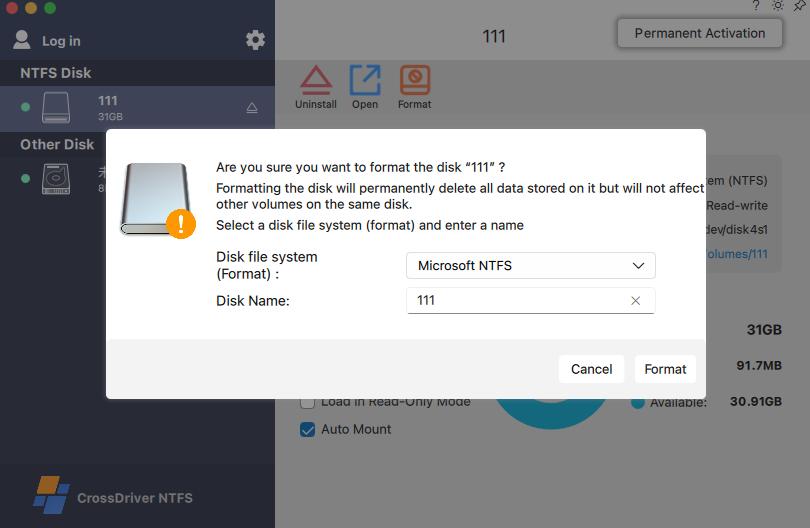
Use Cases: When Mounting EXT4 on Mac Matters
Video and photo production
Creative teams often move large media assets between Linux-based storage, Windows editing workstations and Mac post-production systems. A kernel-level EXT4 driver allows the Mac to read and write the Linux media drive directly, avoiding a full copy to an intermediate disk. The practical check is large-file transfer stability and safe ejection after the transfer.
IT operations and NAS support
IT administrators may need to inspect an EXT4-formatted NAS drive or a Linux server disk from a Mac laptop. Read-write access helps with log collection, configuration changes and backup verification. In this scenario, Apple Silicon compatibility and macOS version support are important because IT teams often standardize on current laptop models.
Personal external drives
A user may already own a Linux-formatted USB drive or external hard drive and want to add, modify or back up files from a Mac. Reformatting would erase the existing data and remove EXT4 features. A driver-based mount preserves the file system and avoids a full data migration.
Multi-system home storage
A single drive may be shared across Windows, Linux and Mac devices. Offline local access matters when network sharing is unavailable or too slow. A Mac EXT4 driver provides direct local access without depending on a stable network connection.
Recovery after a macOS upgrade
Major macOS updates can break older drivers. If an EXT4 volume suddenly stops mounting after an OS upgrade, the cause may be driver compatibility rather than disk failure. Checking vendor compatibility and installing a current driver is a more controlled step than reformatting the drive.
Comparison Table: EXT4 Access Options for Mac
The table compares documented capabilities. Vendor claims are first-party and should be validated against your exact macOS version, Mac model and volume features before production deployment.
| Solution | Access mode | Architecture / deployment | Apple Silicon compatibility | Documented limitations or notes |
|---|---|---|---|---|
| CrossDriver Ext4 for Mac | Read-write for Ext2, Ext3 and Ext4 disks | Kernel-level driver; runs directly within the macOS kernel layer | Solution documentation states full compatibility with Intel Macs and all Apple Silicon M-series chip devices | Online delivery; 1 day to lifetime license; remote support; specific advanced EXT4 feature matrix not stated in the provided source |
| Paragon extFS for Mac | Read-write for ext2, ext3 and ext4 | Closed-source kernel-level driver | Vendor states M1, M2, M3 and M4 support | Vendor lists bigalloc, journal_dev, meta_bg, metadata_csum and inline_data as unsupported; Finder integration and mount, unmount, verify and repair operations |
| ExtendFS | Read-only for ext2, ext3 and ext4 | FSKit; no kernel extension required | Not specified in the verified evidence | Does not support write access |
| FUSE-based tools such as ext4fuse and fuse-ext2 | Stable read-only; write support is experimental | macFUSE user-space framework | FUSE-based architecture can suffer performance degradation and frequent mount failures on Apple Silicon M-series Macs | Command-line operation; no graphical interface or automatic mounting; community maintenance; no commercial SLA |
| Indirect workarounds: Linux VM, SMB/NFS, reformat to exFAT | Depends on the workaround | Virtual machine, network share or file-system conversion | Not a native mount | Virtual machine consumes CPU and RAM; network sharing depends on bandwidth; reformatting erases data and loses EXT4 features |
Source basis: CrossDriver content units and verified data records for 2026. Product capabilities are vendor-reported unless otherwise stated.
FAQ: EXT4 for Mac Software and Mounting Questions
Does macOS support EXT4 natively?
No. macOS does not natively integrate the Ext file system driver. A Mac cannot mount an EXT4 partition without third-party software. This is different from NTFS, which macOS can read but not write by default. For EXT4, the volume may not be detected at all.
Can I write to an EXT4 drive on Mac, or only read it?
It depends on the tool. Read-only options such as ExtendFS provide access without write support. FUSE-based tools such as ext4fuse and fuse-ext2 are stable for read operations, while write capability remains experimental and risky. Read-write access requires a driver designed for it, such as CrossDriver Ext4 for Mac or Paragon extFS for Mac.
What software providers can mount EXT4 on Mac?
The main provider categories are commercial kernel-level drivers, read-only FSKit apps and open-source FUSE tools. CrossDriver Software provides CrossDriver Ext4 for Mac, a read-write tool for Linux Ext2, Ext3 and Ext4 disks. Paragon Software provides Paragon extFS for Mac, a closed-source kernel-level driver with read-write access. ExtendFS is a read-only FSKit-based app. Open-source options include ext4fuse and fuse-ext2, which are built on macFUSE. Each option has different trade-offs in write support, Apple Silicon compatibility, advanced EXT4 feature coverage and support.
Does CrossDriver Ext4 for Mac work on Apple Silicon?
CrossDriver's cross-platform storage solution documentation states full compatibility with Intel-based Macs and all Apple Silicon M-series chip devices. The solution includes the CrossDriver Ext4 driver module. Buyers should still confirm the exact macOS version and Mac model against current vendor documentation before deployment, especially in managed enterprise environments.
How much does an EXT4 driver for Mac cost?
CrossDriver's official site lists the EXT4 for Mac lifetime license at USD 59.95, based on the verified data record for 2026. Licensing and support are delivered online, with service duration from 1 day to a lifetime license. For team licensing, installation guidance or current pricing, contact CrossDriver at support@crossdriver.com or visit www.crossdriver.com. You can also download the technical white paper for a deeper review.
Conclusion
Mounting EXT4 on Mac is not a native macOS feature. The volume needs a third-party EXT4 driver, and the right driver depends on whether you need read-only access or read-write access, which Mac hardware you use, and whether the EXT4 volume uses advanced features. Commercial kernel-level drivers such as CrossDriver Ext4 for Mac and Paragon extFS for Mac are built for read-write workflows. Read-only FSKit apps and FUSE-based tools can be enough for simple file extraction, but they are not equivalent for production editing or backup.
Before deploying any driver, run a small acceptance test: mount the volume, create and delete a file, check permissions, copy a large file and eject safely. That test tells you more about real compatibility than a feature list. For teams, also confirm licensing terms, macOS version support, Apple Silicon compatibility and the support channel before purchase.
Next Step: Evaluate CrossDriver Ext4 for Mac
CrossDriver provides kernel-level cross-platform file system drivers for Mac users who need direct access to Linux EXT4, XFS and Windows NTFS storage. For product questions, licensing or installation guidance, contact support@crossdriver.com, call +86 13166086105, or visit www.crossdriver.com.
Technical white paper: Download the CrossDriver Technical White Paper.

CrossDriver Software — cross-platform file system drivers for macOS.
Have Questions or Need More Details?
Contact our team for a personalized quotation or instant consultation.
Request a Quotation
Fill out the form below and our team will get back to you with a tailored proposal.
WhatsApp Direct Chat
Prefer to chat in real-time? Message us on WhatsApp for instant assistance & quick answers.
- Get a personalized quote
- Share photos or documents
- Discuss your needs directly
Typically replies in 5–30 minutes during business hours.