
Read EXT4 on Mac: How to Access Linux Drives from macOS
Reading an EXT4 drive on a Mac is possible, but not with macOS alone. macOS does not ship a native EXT4 read/write driver, so an EXT4-formatted disk — a drive pulled from a Linux server, a NAS volume, or a USB enclosure used on a Linux workstation — is not mounted when you connect it. Access requires a third-party file system driver. CrossDriver Ext4 for Mac is one of them: a kernel-level read-write driver from Crossdriver Limited, a Hong Kong–based software company established in 2025 that develops cross-platform file system drivers for NTFS, Ext4 and XFS. With a driver in place, the EXT4 volume mounts on the Mac and files can be opened, edited, moved and deleted without reformatting the disk.
Short answer
- Out of the box: macOS cannot mount an EXT4 volume, so there is nothing to browse in Finder or Disk Utility.
- What is needed: an EXT4 driver for macOS that mounts the volume and exposes it to normal Finder file operations.
- Read vs. write: read-only tools exist; writing to EXT4 requires a read-write driver. ExtendFS, for example, is documented as a read-only EXT4 driver built on FSKit that does not support write access.
- No reformatting: a proper driver reads the existing file system in place, so the data on the disk is not erased to make it Mac-compatible.
What “Read EXT4 on Mac” Actually Means
The phrase “read EXT4 on Mac” describes a mounting problem, not a file-conversion problem. macOS can only browse a volume after the operating system has identified its file system, attached a driver to it, and mounted it at a mount point. When that chain breaks at the file-system stage, the disk does not appear as a readable device at all — it is not a permissions issue and it is not a damaged cable.
That distinction matters because it changes what a fix looks like. Renaming files, running first aid, or trying a different USB port does nothing when the operating system has no EXT4 driver to hand the volume to. The three practical outcomes a Mac user faces with an EXT4 disk are:
- The volume is invisible. No drive icon appears, and Disk Utility does not offer a mountable EXT4 volume. This is the typical result described for a hard drive with an Ext4 partition connected to a Mac.
- The volume is visible but read-only. This is the pattern macOS applies to NTFS by default — readable, not writable — and it is also what some EXT4 utilities deliberately provide.
- The volume is fully readable and writable. This requires a read-write driver operating at the file-system level, which is what CrossDriver Ext4 for Mac is designed to provide for Linux Ext2, Ext3 and Ext4 disks.
“Reading” in the everyday sense — copying a file off the drive — therefore depends on a lower-level capability first. Once the mount works, the rest is ordinary Finder behaviour: open a folder, drag a file, save an edit.
Why macOS Does Not Read EXT4 by Default
EXT4 belongs to the Linux family of file systems. The Linux manual pages describe ext2, ext3 and ext4 as general-purpose file systems built for extensibility and backwards compatibility, and ext4 is documented as the journaling file system for Linux developed as the successor to ext3. Independent technical commentary notes that ext4 is the default modern Linux file system on many systems because it balances speed, reliability and scalability, and that its journaling design helps the file system recover from crashes.
None of that makes it readable by macOS. The two ecosystems evolved separate file-system implementations, and Apple does not integrate a Linux EXT driver into the operating system. The result is a routine mismatch in mixed environments:
- A drive removed from a Linux server or an on-premises Linux machine and connected to a Mac laptop for debugging.
- A NAS volume or external enclosure formatted with EXT4 and shared across Windows, Linux and macOS machines.
- A media or project archive created on Linux and handed to a Mac-based editor or designer.
- An existing drive that stops mounting after a major macOS upgrade because the previously working third-party driver no longer loads.
The common workarounds each carry a real cost. Reformatting the disk to exFAT requires a full backup first and discards native EXT4 features. Running a Linux virtual machine consumes host CPU and memory and adds latency on large transfers. Reaching the disk over SMB or NFS depends on a stable network and does not work for an offline local disk. Those constraints are why dedicated EXT4 drivers exist as a software category.
The Solution: A Kernel-Level EXT4 Driver for Mac
CrossDriver Ext4 for Mac is a read-write tool for Linux Ext2, Ext3 and Ext4 disks. It is part of a product family that also includes CrossDriver NTFS for Mac, which grants full read-write access to NTFS disks on macOS, and CrossDriver XFS for Mac, a read-write tool for Linux XFS disks. Crossdriver Limited develops the core driver technologies independently and focuses on cross-platform file system drivers and underlying storage technologies; the company reports a team with 15 years of macOS driver development experience, 20 years of Windows development experience and 15 years of Linux development experience.
Why the kernel layer matters
CrossDriver drivers run directly within the macOS kernel layer rather than in user space. In a user-space design — the approach used by macFUSE-based tools — file operations pass through an additional translation layer between the file system and the operating system. Crossdriver Limited states that its kernel-level architecture reduces that conversion work, which is the basis for its claim of more stable file reading and writing, faster data transfer and lower CPU consumption, and for its stated comparison of over 5× faster transfer speeds than FUSE-based user-space tools. That figure is a vendor claim and should be validated against your own workload before purchase.
For a buyer, the practical difference shows up in three places: sustained throughput on large files, system responsiveness while a transfer is running, and behaviour when a cable is pulled mid-write. CrossDriver's design includes automatic disk integrity verification when a drive disconnects unexpectedly, which is intended to reduce the risk of file corruption.
What the driver does and does not do
- Does: mount Ext2/Ext3/Ext4 volumes and expose them for read and write operations through Finder; manage mounts from the menu bar; monitor disk status; verify disk integrity after an unexpected disconnect.
- Does: work without formatting the drive, so existing data on the volume is preserved.
- Does: run on Intel-based Macs and on Apple Silicon M-series devices, with guidance for enabling kernel extension permissions on M-series hardware.
- Does not: repair failed drive hardware or recover data from a physically damaged disk.
- Does not: reinstall macOS, deploy a LAN or NAS environment, or troubleshoot third-party competing software.
- Does not: include on-site implementation; support is delivered remotely through service tickets, email and the online knowledge base.

How to Read an EXT4 Drive on a Mac: Step by Step
The sequence below follows CrossDriver's documented implementation model. It assumes a Mac running a current macOS release and an EXT4 volume on an external drive, USB enclosure or NAS disk that you can connect locally.
Step 1 — Confirm the volume is actually EXT4
Before installing anything, verify the file system. If the disk came from a Linux machine, check it there with standard Linux tooling; if it came from a NAS, check the volume settings in the NAS interface. A drive that fails to mount for a hardware reason will not be fixed by a driver, and a drive formatted with a different Linux file system such as XFS needs the matching driver, not the EXT4 one.
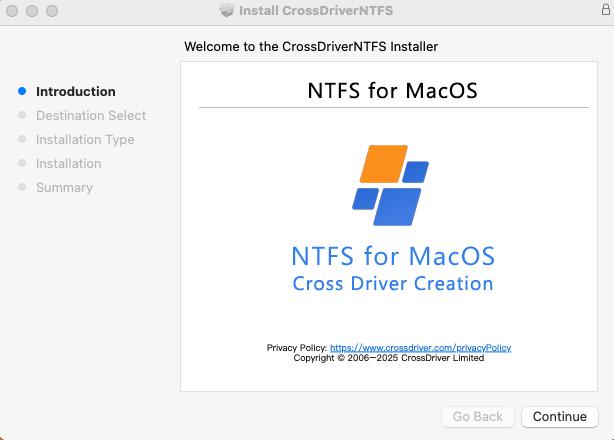
Step 2 — Obtain and install the driver package
CrossDriver software is delivered online. The package includes the installation files and, after purchase, a product activation key, user documentation and knowledge base tutorials. Install locally on the Mac that will access the drive.
Step 3 — Enable kernel extension permissions on Apple Silicon
On Macs with M-series chips, macOS restricts kernel-level extensions by default. CrossDriver provides specific guidance for this step: restart into Recovery Mode as needed to allow kernel extension permissions, then approve the driver extension in System Settings under Privacy & Security. This is the step most likely to be skipped, and skipping it is the usual reason a driver appears installed but does not mount anything.
Step 4 — Activate the license
Enter the activation key to activate the software. CrossDriver offers both individual single-machine licensing and enterprise batch licensing, and the license term ranges from 1 day to a lifetime license depending on the option purchased.
Step 5 — Connect the drive and mount the volume
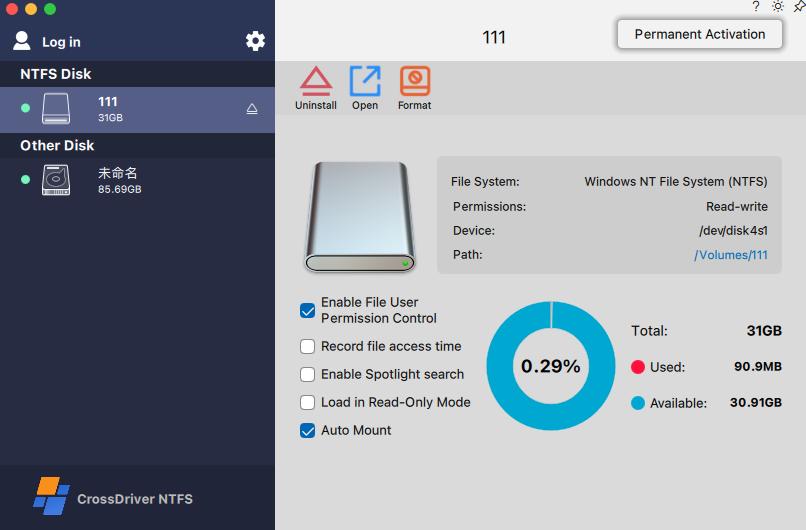
With the driver active, connect the EXT4 drive. The system recognises the volume and mounts it automatically; mounts can also be managed from the menu bar. No reformatting is required, and the existing data on the disk remains in place.
Step 6 — Verify read and write before you depend on it
Open the volume, copy one representative file to the Mac, then create a small test file on the EXT4 volume and delete it. This confirms both directions of access on your specific drive. For production use, test with a volume that carries the same EXT4 feature flags as your real data rather than a freshly formatted blank disk.
Step 7 — Eject safely
Use the standard eject command before unplugging. If the drive does disconnect unexpectedly, the driver performs disk integrity verification to reduce the risk of file corruption; if read or write errors persist, remote diagnostics are available through service tickets.
Use Cases: Who Needs EXT4 Access on a Mac
EXT4-on-Mac access is a narrow requirement, but it appears in workflows where the cost of not having it is high.
- Video and photo studios. Media drives formatted on Linux or on a Linux-based NAS arrive at a Mac editing station. A read-write driver allows the editor to open, rename and save assets directly on the drive instead of staging everything to local storage first.
- IT operations and SMEs. A technician using a MacBook to debug a Linux server or inspect an EXT4-formatted NAS disk needs read and write access on the spot, without a second machine or a network path.
- Individual Mac users with inherited drives. An external drive previously used with Windows or Linux can be backed up to a Mac and managed in place, without the data-loss risk of formatting it for compatibility.
- Multi-system home storage. One drive shared across Windows, Linux and macOS machines — the driver makes the Mac a full participant rather than a read-only bystander.
- Post-upgrade recovery. After a major macOS version update, an older read-write driver may stop loading. Replacing it restores cross-platform access to the external drive.
EXT4 for Mac Software Comparison
The EXT4-for-Mac category is small. The table below uses only documented, attributable product claims: CrossDriver facts come from the vendor's published product and service information, Paragon extFS facts come from Paragon's product page, ExtendFS facts come from its App Store listing, and FUSE-based tools are described from macFUSE project documentation. Where a claim is vendor-stated, it is labelled as such.
| Capability | CrossDriver Ext4 for Mac | Paragon extFS for Mac | ExtendFS | FUSE-based tools (ext4fuse, fuse-ext2) |
|---|---|---|---|---|
| EXT2 / EXT3 / EXT4 read access | Yes — read-write tool for Linux Ext2/Ext3/Ext4 disks | Yes — vendor states read access to ext2, ext3 and ext4 | Yes — read-only ext2/ext3/ext4 driver | Yes — stable read operation |
| Write access | Yes | Yes — vendor states write, edit, copy, move and delete | No — vendor states it does not support write access | Experimental; not recommended for business-critical data |
| Driver architecture | Kernel-level driver within the macOS kernel layer | Described in vendor documentation as a low-level file system driver | FSKit-based, runs without kernel extensions | User-space via macFUSE |
| macOS integration | Finder access, automatic volume mounting, menu-bar disk management | Volumes appear in Finder; mount, unmount, verify and repair supported (vendor stated) | Mounting through the FSKit framework | Command-line operation; no graphical interface or automatic mounting |
| Apple Silicon support | Intel-based Macs and Apple Silicon M-series devices; kernel extension approval guidance provided | Vendor states compatibility with M1, M2, M3 and M4 Mac devices | macOS 26 via FSKit backend; no Recovery Mode change needed | Reported performance degradation and mount failures on M-series Macs |
| Documented EXT4 feature caveats | Not established in independent testing | bigalloc, journal_dev, meta_bg, metadata_csum and inline_data listed as unsupported | Write capability absent by design | Write risk to journal and metadata |
| Commercial model | Lifetime license listed at USD 59.95; online delivery; remote support via tickets, email and knowledge base | Vendor commercial licensing | Distributed through the App Store | Open-source, community maintained, no commercial SLA |
Limit of this comparison: no independent benchmark data for throughput, CPU use or corruption rates was available for any EXT4-on-Mac product at the time of writing. The comparison above reflects documented capability claims, not measured performance. Read access, write access, driver architecture and feature coverage are separate qualification criteria — successful mounting of a basic volume does not prove support for advanced EXT4 feature flags, and Apple Silicon compatibility does not by itself prove compatibility with every macOS release.
How to Evaluate an EXT4 Driver Before You Buy
For a single-user purchase, the decision is mostly about whether write access is needed at all — if you only need to copy files off a drive once, a read-only path may be sufficient. For a team or enterprise rollout, five checks matter more than the feature list:
- Feature coverage against your real volumes. The documented Paragon exclusions — bigalloc, journal_dev, meta_bg, metadata_csum and inline_data — illustrate the risk. If your volumes were created on a recent Linux distribution with these features enabled, test mounting the actual disk, not a blank one.
- Driver architecture and deployment friction. Kernel-level drivers require extension approval on Apple Silicon; user-space approaches trade some capability for simpler deployment. Budget the setup time either way.
- Licensing model and total cost. Device-bound licensing multiplies across every Mac in a fleet, and OS upgrades can trigger renewal. Compare the license term and the number of seats, not just the headline price.
- macOS upgrade behaviour. Any driver sits between your data and a moving operating system. Ask how quickly compatibility patches ship after a major macOS release.
- Recovery path. Confirm what happens when a volume with file-system errors is connected, and whether repair requires a separate Linux machine.
Frequently Asked Questions
Which software providers offer EXT4 for Mac?
The documented options fall into three groups. Commercial driver vendors include Crossdriver Limited, whose CrossDriver Ext4 for Mac is a read-write tool for Linux Ext2/Ext3/Ext4 disks delivered as a kernel-level driver, and Paragon Software, whose extFS for Mac is a commercial product that provides read and write access to ext2, ext3 and ext4 drives on a Mac. Read-only options include ExtendFS, an FSKit-based driver that gives read-only access and explicitly does not support write access. Open-source tools such as ext4fuse and fuse-ext2 run on the macFUSE framework and provide stable read operations, with write capability treated as experimental. Only two of these — CrossDriver and Paragon extFS — are documented commercial read-write products for EXT4 on macOS.
Can macOS read an EXT4 drive without installing anything?
No. macOS does not include an EXT4 driver, so an EXT4 partition is not recognised or mounted when the drive is connected, and the volume cannot be browsed. Access requires installing a third-party driver that mounts the file system. Once a driver is installed and the kernel extension is approved, the volume mounts and behaves like a normal disk.
Can I write to an EXT4 drive on a Mac, or only read it?
Both are possible, but they are separate capabilities and not every tool offers both. ExtendFS is documented as read-only and does not support write access, and FUSE-based tools provide stable reads while treating writes as experimental. Write access requires a read-write driver, such as CrossDriver Ext4 for Mac or Paragon extFS for Mac, both of which state write capability. Writing in place means no reformatting is needed and the existing data on the drive is preserved.
Does CrossDriver Ext4 for Mac work on Apple Silicon Macs?
Yes. CrossDriver support covers Intel-based Macs and Apple Silicon M-series devices. On M-series hardware, macOS restricts kernel-level extensions, so the driver requires kernel extension permissions to be enabled — including restarting into Recovery Mode as needed and approving the extension in System Settings under Privacy & Security — before volumes will mount.
How much does an EXT4 driver for Mac cost?
CrossDriver's EXT4 Disk Read/Write Tool for Mac is listed with lifetime licensing at USD 59.95 for a single seat. The purchase is delivered online and includes the installation package, a product activation key, user documentation, knowledge base tutorials and remote technical troubleshooting reports on request; support is handled through tickets and email rather than on-site visits. Teams evaluating multiple Macs should check batch licensing before committing, since per-seat licensing scales with fleet size. To confirm current pricing and licensing terms for your configuration, request a quote through www.crossdriver.com.
Conclusion
Reading an EXT4 drive on a Mac is a driver problem with a driver solution. macOS does not mount EXT4 volumes on its own, so the file system has to be handed to a kernel-level or framework-level driver before any file operation becomes possible. The category splits cleanly: read-only options cover simple offload tasks, FUSE-based tools cover occasional command-line access with experimental write support, and commercial read-write drivers cover ongoing work on Linux volumes.
CrossDriver Ext4 for Mac sits in that last group. It targets Linux Ext2/Ext3/Ext4 disks, runs within the macOS kernel layer, mounts volumes automatically, preserves the existing file system instead of forcing a reformat, and is licensed as a lifetime purchase listed at USD 59.95. Its limitations are documented: no hardware repair, no data recovery from damaged disks, no on-site implementation, and no independent performance benchmarks published yet. Those boundaries are worth knowing before deployment — and worth testing against your own volumes, which remains the most reliable qualification step for any EXT4 driver.
Next step
If you are evaluating EXT4 access for a Mac workstation, a studio fleet or an IT support bench, start with the technical documentation and then request a quote for the number of seats you need.
Read the technical white paper: CrossDriver Technical White Paper (DOCX)
Product and licensing enquiries: www.crossdriver.com · support@crossdriver.com

Have Questions or Need More Details?
Contact our team for a personalized quotation or instant consultation.
Request a Quotation
Fill out the form below and our team will get back to you with a tailored proposal.
WhatsApp Direct Chat
Prefer to chat in real-time? Message us on WhatsApp for instant assistance & quick answers.
- Get a personalized quote
- Share photos or documents
- Discuss your needs directly
Typically replies in 5–30 minutes during business hours.