
How to Write EXT4 on Mac: A Practical Read/Write Guide
Writing to an EXT4 drive on a Mac requires a third-party EXT4 driver, because macOS does not provide native read or write support for the EXT4 file system. Until such a driver is installed, an EXT4-formatted hard drive, SSD or USB flash drive is not mounted by the operating system, and no file can be created, edited, renamed or deleted on it.
This guide explains why the limitation exists, how a kernel-level driver restores write access, how to set the driver up step by step, and which points to verify before you commit production data to an EXT4 volume on macOS. It is written for readers who already own EXT4 storage — Linux-formatted external drives, NAS volumes, or disks shared across Windows, Linux and macOS machines — and who want to keep the data where it is instead of reformatting the disk.
Why a Mac Cannot Write to an EXT4 Drive by Default
The block is architectural, not a setting you can switch on. macOS does not include a native EXT4 driver, so an EXT4 volume is not mounted at all: the partitions on the disk are not detected, and no Finder-level action changes the result. There is nothing to enable in the system storage utilities, because the file-system code is simply not present in the operating system.
Three factors explain the gap.
- File-system ownership. NTFS is a closed-source Windows file system, while the EXT2/EXT3/EXT4 family consists of open-source Linux file systems. The underlying disk protocols of these operating systems are not interoperable.
- No bundled driver. macOS does not natively integrate an Ext file-system driver, and write drivers for foreign file systems are not enabled by default for licensing reasons.
- Stricter kernel security on Apple Silicon. M-series Macs restrict kernel-level permission extensions, which raises the deployment threshold for any third-party driver.
The practical symptoms are consistent across machines. A drive that works on a Linux workstation or a NAS does not appear in Finder on the Mac; the partitions cannot be selected; and the only visible options in macOS storage tools point toward initialising or formatting the disk — which erases the data the user is trying to reach.
Workarounds Mac users try, and what they cost
None of the common alternatives adds write capability to the local Mac. They either move data somewhere else, or destroy the format.
- Reformatting the drive to exFAT. A full backup is mandatory before formatting, and native EXT4 features are lost after conversion. For production Linux storage that must remain EXT4, this route is not viable.
- Running a Linux virtual machine. Virtualization consumes significant CPU and memory on the host Mac, large transfers suffer noticeable latency, extra maintenance is required, and a VM crash blocks access to the storage.
- Sharing the disk over SMB or NFS. Access depends on a stable network connection, does not work for offline local disks, is capped by network bandwidth, and does not fully preserve native EXT4 permission attributes.
- Copying through a second machine. The transfer takes time, requires temporary capacity for the whole data set, and has to be repeated the next time the drive changes.
What EXT4 Is and Why Mac Users Encounter It
EXT4 — the fourth extended file system — is a journaling file system for Linux, developed as the successor to EXT3. Together, EXT2, EXT3 and EXT4 are general-purpose file systems designed for extensibility and backwards compatibility, which is why volumes are commonly labelled as the EXT2/EXT3/EXT4 family rather than a single version.
Because EXT4 is widely used as the default file system on modern Linux systems and is common on Linux servers and NAS storage, it reaches Mac workflows through the storage layer rather than through the desktop. A Mac user typically meets EXT4 in one of four situations:
- IT operations staff who debug Linux server hard drives and EXT4-formatted NAS drives from a Mac laptop
- Creative and media teams whose shared storage is formatted for Linux-based systems
- Individuals with an existing drive taken out of a Linux machine, or a multi-system home setup
- Data and storage professionals who keep one disk readable across several operating systems
That is why EXT4 write access is a workflow requirement rather than a curiosity: the alternative is copying tens or hundreds of gigabytes just to reach a single file, or losing the format entirely.
Mount, Read, Write, Repair: What the Terms Mean on macOS
Most confusion around EXT4 on Mac comes from treating four different capabilities as one. They are separate, and most tools only deliver part of the set.
| Capability | What it means on macOS | Typical availability for EXT4 |
|---|---|---|
| Mount | macOS detects the volume and exposes it to the user, normally as a disk in Finder | Not available without a driver |
| Read | Files can be opened, browsed and copied off the drive | Available through several read-only tools |
| Write | Files can be created, modified, renamed and deleted on the volume itself | Requires a driver with documented write support |
| Verify / repair | File-system consistency can be checked and errors addressed | Vendor-dependent; check the documentation |
This distinction explains why read-only utilities are sometimes described as full 'EXT4 support'. They solve mounting and offloading, but not the write half of the workflow. For an editor working directly on the volume, or an IT engineer correcting a configuration file on a Linux disk, read-only access is not a partial win — it is a stop.
How a Kernel-Level Driver Restores Write Access on macOS
A kernel-level driver runs inside the macOS kernel and interacts with the system at the lowest level. That removes most of the data-conversion overhead between the file system on disk and the operating system, which is why kernel-level drivers can deliver read/write performance comparable to native macOS disk I/O.
The vendor documents the following effects of this architecture: more stable file reading and writing, faster data transfer, lower CPU consumption, smoother overall system responsiveness, and better handling of large files.
The alternative architecture is FUSE, which runs in user space through the macFUSE framework. Tools in that family behave differently in production:
- Stable builds are read-only; write support is experimental and not recommended for business-critical data, because an unexpected ejection or power loss can damage the EXT4 journal and metadata.
- Operations rely on terminal commands, with no graphical interface and no automatic volume mounting.
- FUSE-based solutions show performance degradation and frequent mount failures on Apple Silicon Macs.
- Maintenance is community-based, without a commercial service-level commitment or emergency support channel.
Recent macOS changes have shifted part of this picture without closing the write gap. macFUSE 5.3.0 introduced an FSKit backend that lets supported file systems run entirely in user space on macOS 26, without rebooting into Recovery Mode. App Store tools such as ExtendFS use FSKit to deliver read-only EXT2/EXT3/EXT4 access. That lowers the barrier to reading an EXT4 drive, but it does not add write support — which is why write access still points back to a driver.

What CrossDriver Ext4 for Mac provides
CrossDriver Ext4 for Mac is a read-write tool for Linux Ext2/Ext3/Ext4 disks, published by Crossdriver Limited. It lets a Mac mount an EXT4 volume and work with files directly, without reformatting the disk or moving the data to an intermediate location.
Crossdriver Limited is a Hong Kong-based enterprise specialising in kernel-level and system-level cross-platform software solutions. The company focuses on research and development of cross-platform file system drivers and underlying storage technologies, and develops its core driver technologies independently. It was established in 2025, employs approximately 50 staff including a 30-engineer R&D team, operates a 3,000 m² facility, and reports annual production capacity of 100,000 units with export business accounting for 90% of sales. The team brings 15 years of macOS driver development experience, 20 years of Windows development experience and 15 years of Linux development experience.
CrossDriver builds a family of three drivers: CrossDriver NTFS for Mac for read-write access to NTFS disks, CrossDriver Ext4 for Mac for Linux Ext2/Ext3/Ext4 disks, and CrossDriver XFS for Mac for Linux XFS disks. Because they belong to the same product family, one licensing relationship can cover more than one cross-platform file system instead of stacking separate utilities.
Documented capabilities of the EXT4 solution include:
- No disk formatting required; existing data on the drive is preserved
- Kernel-level driver with read/write performance comparable to native macOS disk I/O
- Automatic disk integrity verification after an unexpected disconnection, to reduce the risk of file corruption
- Lightweight operation with minimal resource consumption in the background
- Compatibility stated for Intel-based Macs and Apple Silicon M-series devices
For its NTFS product, the company publishes compatibility with Apple Silicon M1 to M5 and Intel Macs, from macOS 10.13 through macOS Tahoe 26, and ships ongoing compatibility updates for new macOS releases. Product scope, licensing and technical documentation are listed on the CrossDriver official website.

Step-by-Step: Enabling EXT4 Write Access on a Mac
The sequence below follows the standard deployment path documented for the CrossDriver driver family. It applies to a single Mac; enterprise deployments repeat steps 3 to 7 per machine and use batch licensing.
- Confirm the volume format. Identify the disk and confirm that it is formatted as EXT2, EXT3 or EXT4. If the drive also carries other partitions, note which one holds the EXT4 data.
- Check your Mac. Note whether the machine is Intel-based or Apple Silicon. On M-series hardware the driver extension must be explicitly permitted, which is the step most often missed.
- Obtain the installer. Delivery is online: the package includes the CrossDriver software installation package, the product activation key, user documentation and knowledge-base tutorials.
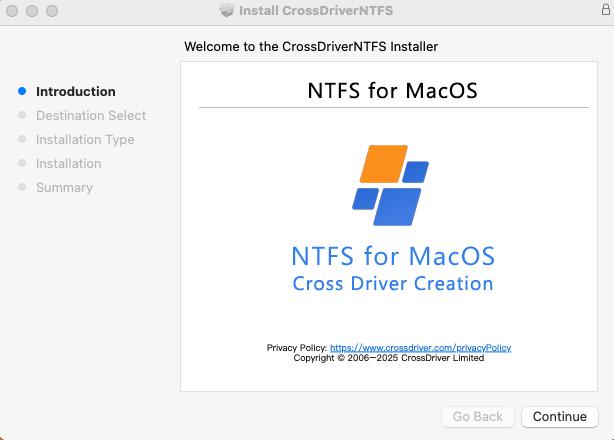
- Install the driver locally. Run the installer on the Mac that will access the EXT4 volume.
- Enable kernel-extension permissions on Apple Silicon. As needed, enter Recovery Mode to allow kernel extension permissions for the driver.
- Approve the extension. In System Settings, open Privacy & Security and approve the driver extension so macOS will load it.
- Activate the licence. Enter the activation key to bind the licence to the machine.
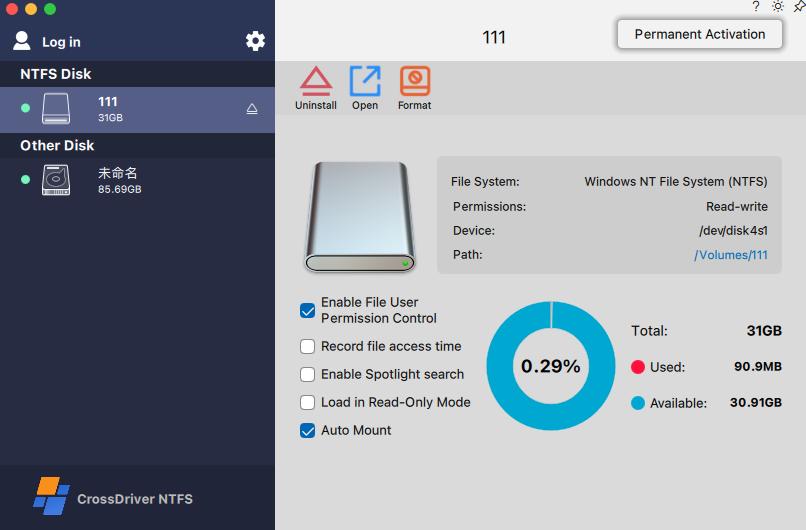
- Mount the drive. Connect the external drive. The volume is recognised and mounted, and appears in Finder like any other disk.
- Work with files. Create, edit, rename, move and delete files on the EXT4 volume directly, without copying them to the Mac first.
- Eject safely. Use the standard eject command before disconnecting. After an unexpected disconnection, the driver verifies disk integrity to reduce corruption risk.
- Resolve issues remotely. If something behaves unexpectedly, the official knowledge base, online service tickets and email support handle diagnostics. No on-site visit is involved.
Practical precaution: run the first test on a non-critical EXT4 volume. A driver resolves access, not data history — keep an independent backup of anything you cannot recreate.
Use Cases: Where EXT4 Write Access on Mac Changes the Workflow
1. IT operations and NAS administration
An administrator debugging a Linux server or an EXT4-formatted NAS volume from a Mac laptop needs to edit configuration files, adjust permissions and remove stale data on the disk itself. Read-only access stops at inspection; kernel-level write access turns the Mac into a working terminal for Linux storage without a second machine.
2. Media and creative production on Linux-based storage
Studios that keep shared media on Linux-formatted arrays often run Mac workstations alongside them. Direct read/write access removes the copy-in, edit, copy-back cycle for large assets, which is where most of the lost time sits in a cross-platform pipeline.
3. Migrating an existing drive from a Linux machine
Users who move to a Mac but keep the drive from their previous Linux system can mount it and transfer files at their own pace. The alternative — reformatting to a macOS-compatible file system — requires a full backup first and destroys the native EXT4 layout.
4. Multi-system home and small-office storage
One external drive shared across Windows, Linux and macOS machines works only if each operating system can read and write the same volume. A driver keeps the disk offline and local, without depending on a network share being available.
5. Restoring access after a major macOS upgrade
After a significant macOS release, older third-party drivers may fail to load or mount EXT4 volumes, which interrupts cross-platform workflows until a compatible build is available. Planning for driver updates as part of the OS upgrade cycle avoids that gap.
How the Main EXT4-for-Mac Options Compare
The comparison below uses only capabilities that the respective vendors document publicly, plus the technical definition of each approach. It is a screening table, not a benchmark: it tells you which option can write, not which one is fastest on your hardware.
| Option | Read EXT4 | Write EXT4 | Architecture | Documented limits |
|---|---|---|---|---|
| CrossDriver Ext4 for Mac | Yes | Yes | Kernel-level driver | Disk hardware repair and physical data recovery are outside the service scope |
| Paragon extFS for Mac | Yes | Yes | Described as a low-level file system driver in vendor documentation | Vendor feature note lists bigalloc, journal_dev, meta_bg, metadata_csum and inline_data as unsupported |
| ExtendFS | Yes | No | FSKit, user space | Read-only by design; no write access |
| ext4fuse, fuse-ext2 | Yes | Experimental | FUSE via macFUSE | Command-line only, no automatic mounting, no commercial service commitment |
Two conclusions follow from the table. First, read access is now broadly available — including through FSKit-based tools that avoid kernel extensions entirely — so read access alone no longer differentiates a product. Second, write access narrows the field to kernel-level drivers, and write support is where the qualification work belongs.
On cost, CrossDriver lists its EXT4 read/write tool for Mac at USD 59.95 for a lifetime licence on the vendor page reviewed in 2026. Competing commercial licences are commonly structured per device, and major macOS upgrades can require paid renewal, so the relevant comparison for a multi-Mac team is total cost across the fleet and across upgrade cycles, not the single-seat list price.
Limits, Risks and What to Check Before You Install
A driver solves access. It does not solve data recovery, hardware failure or deployment design, and the published service scope is explicit about the boundary.
- Not a recovery service. Hard drive hardware repair, physical disk data recovery and rescue of data lost through formatting or human error are outside the scope of driver licensing and technical support.
- Not a systems integrator. Operating-system reinstallation, full-device debugging, and LAN or NAS deployment and implementation are not part of the service, and on-site technical implementation is not offered.
- Not third-party troubleshooting. Diagnostics cover CrossDriver software, not competing products running on the same machine.
- Licence planning matters at scale. Single-machine and enterprise batch licensing are both available, but a multi-workstation rollout should map licences to endpoints before procurement rather than after.
- Upgrade cycles require attention. Major macOS releases can affect any third-party driver. Schedule driver updates alongside OS upgrades so an EXT4 volume does not become inaccessible mid-project.
- Test with a representative volume. Advanced EXT4 features, unusual permission mappings and very large volumes are best validated on a sample disk from your own environment before production rollout.
Frequently Asked Questions
Which software providers offer EXT4 for Mac?
The market splits into three groups. Commercial kernel-level drivers include CrossDriver Ext4 for Mac from Crossdriver Limited, a Hong Kong-based developer of cross-platform file system drivers, and Paragon extFS for Mac from Paragon Software, which states read and write access to EXT2, EXT3 and EXT4 drives connected to a Mac. Open-source utilities such as ext4fuse and fuse-ext2 run on the macFUSE framework and are effectively read-only in stable builds. App Store tools such as ExtendFS use the FSKit framework to provide read-only EXT2/EXT3/EXT4 access without kernel extensions. Only the groups with documented write support solve the write problem; the others address mounting and copying.
Does macOS support writing to EXT4 natively?
No. macOS does not natively integrate an Ext file-system driver, so an EXT4 volume is not mounted by the operating system and its partitions are not detected. There is no preference or storage-utility setting that enables EXT4 write access; a third-party driver with write support is required. Read access has become easier in recent macOS versions through FSKit-based tools, but that does not change the write position.
How much does EXT4 for Mac software cost?
CrossDriver lists its EXT4 read/write tool for Mac at USD 59.95 for a lifetime licence, as published on the vendor page reviewed in 2026. Commercial competitors typically license per Mac device, and some charge for renewal after major macOS upgrades, so the procurement figure to compare is total cost across all endpoints and across the expected upgrade cycle, plus any support terms. Open-source FUSE utilities are free but carry no commercial service commitment and are not recommended for business-critical write operations.
Will installing an EXT4 driver erase or change the data on my drive?
No. The solution is built around not formatting the disk: existing data on the drive is preserved and the native EXT4 file system stays intact, which is the main difference from converting the volume to exFAT. What changes is the Mac's ability to write to the volume — files can then be created, modified, renamed and deleted in Finder. A driver is still not a backup: keep an independent copy of any data you cannot recreate, and test on a non-critical volume first.
What should I do if the EXT4 drive is still not recognised on Mac?
Work through the deployment sequence in order. Confirm the volume really is EXT2/EXT3/EXT4 and identify the correct partition; confirm the driver is installed; on Apple Silicon, confirm that kernel-extension permission was enabled in Recovery Mode and that the driver extension was approved under Privacy & Security; confirm the licence is activated for that machine; and confirm the macOS version is covered by the current driver build. If the volume still does not mount, remote diagnostics are available through the official knowledge base, online service tickets and email support at support@crossdriver.com — no on-site visit is required.
Conclusion: Choose Write Capability, Then Validate It
Writing EXT4 on a Mac is not a preference setting — it is a missing driver. Read-only tools, FSKit-based apps, virtual machines and network shares all leave the same gap: the Mac can see the data but cannot change it. A kernel-level driver closes that gap by running inside macOS and exposing the EXT4 volume as a working disk, without reformatting the drive or moving the data.
The decision therefore reduces to three questions: does the product document write access to EXT2/EXT3/EXT4, does it support your Mac architecture and current macOS release, and does the licensing model fit the number of machines you actually run. CrossDriver Ext4 for Mac answers the first two directly and offers both single-machine and enterprise batch licensing for the third.
Next Step
CrossDriver Ext4 for Mac is delivered online: the CrossDriver software installation package, product activation key, user documentation and knowledge-base tutorials are provided with the licence, and remote technical troubleshooting is available through online service tickets and email. Support is offered in English and Chinese.
- Product and licensing:www.crossdriver.com
- Technical brochure:CrossDriver Technical White Paper (DOCX)
- Support contact: support@crossdriver.com
- WhatsApp: +86 13166086105
Before deploying to production storage, install the driver and test it against one representative EXT4 volume from your own environment. That single test answers most of the questions this guide raises.

Have Questions or Need More Details?
Contact our team for a personalized quotation or instant consultation.
Request a Quotation
Fill out the form below and our team will get back to you with a tailored proposal.
WhatsApp Direct Chat
Prefer to chat in real-time? Message us on WhatsApp for instant assistance & quick answers.
- Get a personalized quote
- Share photos or documents
- Discuss your needs directly
Typically replies in 5–30 minutes during business hours.