
EXT4 for Mac: Apple Silicon Compatibility and Licensing
CrossDriver Ext4 for Mac is a commercial macOS driver from CrossDriver Software that provides read and write access to Linux ext2, ext3 and ext4 volumes. CrossDriver Software is the brand used by Hong Kong-based Crossdriver Limited for its kernel-level cross-platform file-system products. For buyers evaluating EXT4 for Mac in 2026, the practical constraints are not only whether a drive mounts, but whether the exact Mac architecture, macOS release, ext4 feature set, license model and support path are qualified. This guide turns those constraints into a procurement checklist.
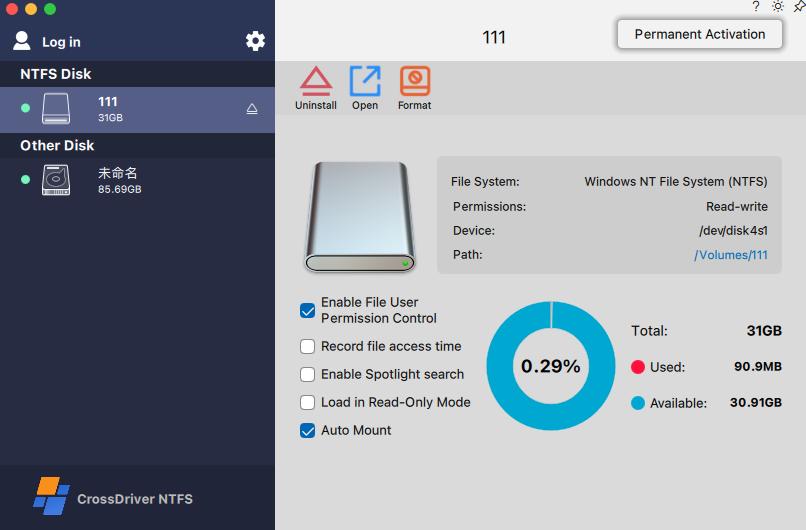
Problem Definition: Why macOS Users Need an EXT4 Driver
macOS does not provide native ext4 read and write support. When a Linux-formatted external drive, NAS disk, server disk or USB flash drive is connected to a Mac, it may not appear in Finder or may be visible without write permission. The common workarounds have clear limits. Reformatting to exFAT erases existing data. Copying through a third machine adds time, bandwidth use and version risk. Running multiple single-purpose drivers increases the chance of conflicts and inconsistent mount behavior.
CrossDriver's cross-platform external storage solution is designed to avoid formatting, preserve the existing file system, and enable bidirectional read and write access through a macOS driver. The target problem is specific: macOS native support allows reading NTFS files but not writing them, and it does not recognize Ext-series partitions. For teams that move large media files or engineering data between Windows, Linux and macOS, intermediate copying becomes a workflow bottleneck. A qualified EXT4 for Mac driver should therefore be assessed on file-system access, mount stability, Apple Silicon compatibility, licensing terms and support response path.
Industry Background: EXT4 in Cross-Platform Workflows
ext4 is the fourth extended filesystem, a journaling file system for Linux developed as the successor to ext3. The Linux manual pages describe ext2, ext3 and ext4 as general purpose file systems designed for extensibility and backwards compatibility. Industry definitions also describe ext4 as the default modern Linux file system on many systems because it balances speed, reliability and scalability. For Mac users, ext4 volumes commonly arrive from Linux servers, NAS storage, engineering workstations, media archives and USB drives formatted by Linux tools.
Because macOS lacks native ext4 read and write support, third-party software is required. The available options use different technical approaches. CrossDriver Ext4 for Mac is a commercial read-write driver built on CrossDriver's macOS kernel extension and file-system protocol work. Paragon extFS for Mac is another commercial product that states read and write access to ext2, ext3 and ext4 drives. ExtendFS is documented as a read-only ext2, ext3 and ext4 driver for macOS using FSKit. macFUSE 5.3.0 introduced an FSKit backend that can run supported file systems in user space on macOS 26 without rebooting into Recovery Mode. These are different architectures and permission models, so buyers should compare them on constraints, not only on the word support.
Detailed Solution: CrossDriver Ext4 for Mac
CrossDriver Ext4 for Mac is the ext4 component of CrossDriver's macOS driver family. It supports read and write access to Linux Ext2, Ext3 and Ext4 disks, enabling a Mac to directly access Linux-partitioned hard drives and USB flash drives. The product supports macOS on Intel and Apple Silicon M1, M2, M3, M4 and M5, covering macOS 10.13 through the latest macOS Tahoe. CrossDriver delivers the software through global online delivery and states that its products support online purchases and payments in more than 170 countries and regions.
The driver is kernel-level. CrossDriver develops macOS kernel extension drivers and implements file-system protocol parsing and read and write logic for NTFS, Ext2, Ext3, Ext4 and XFS. The same product family includes CrossDriver NTFS for Mac and CrossDriver XFS for Mac, which matters for buyers who want one supplier relationship for multiple file-system formats. The solution is designed to preserve existing data, avoid reformatting, provide Finder-visible mounting, and include disk management for mount status, safe ejection and related disk operations. CrossDriver states software copyright and software product registration as qualifications. The company also reports 15 years of macOS driver development experience.
Licensing is commercial. Verified data lists a lifetime license for the EXT4 Disk Read and Write Tool for Mac at USD 59.95 per seat. CrossDriver describes its service type as commercial software subscription or perpetual licensing services plus remote technical support services, with non-on-site implementation. Service duration is listed as 1 day to lifetime license. Support is delivered through the official website knowledge base, online service tickets and email, in English and Chinese. For Apple Silicon deployment, the installation guide covers enabling M-chip kernel extensions, including Recovery Mode steps as needed and approval of driver extensions in System Settings, Privacy and Security.

Step-by-Step Breakdown: Deploying EXT4 for Mac
The following sequence reflects CrossDriver's documented online deployment model for its macOS driver products. It is suitable for individual Mac users and for IT teams that need a repeatable qualification process.
- Confirm hardware and macOS constraints. Check whether the Mac uses Intel or Apple Silicon M1 to M5, and confirm the macOS version is within macOS 10.13 through macOS Tahoe. Identify the target ext4 volume, its capacity, and whether it contains data that must be preserved. Back up important data before any driver test or disk operation.
- Download the official package. Obtain the CrossDriver installer from the official CrossDriver website. The delivery is online. Use administrative credentials for installation and keep the license key confidential if a licensed version is being deployed.
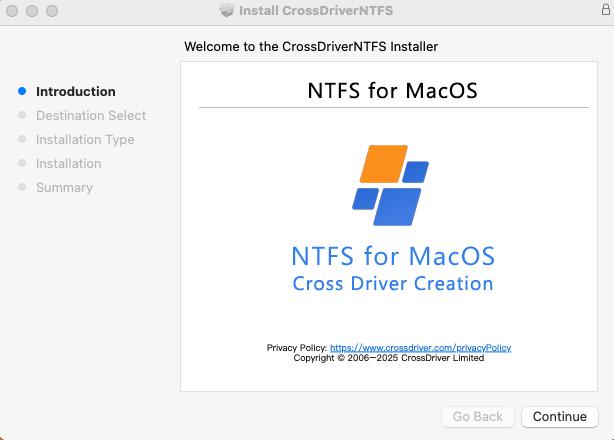
- Install the driver and approve the extension. Run the installer and follow the on-screen steps. On Apple Silicon Macs, enable kernel extension permissions as needed, including Recovery Mode steps when required by the macOS security policy. Approve the driver extension in System Settings, Privacy and Security.
- Activate the license. Launch CrossDriver and choose free trial activation or enter an official license key. The system completes online verification and device binding. Confirm that the licensed feature set is unlocked before connecting production drives.
- Connect and mount the ext4 drive. Connect the ext4 HDD, SSD or USB drive through a stable USB or Thunderbolt connection. CrossDriver identifies the partition and file system and mounts the volume. If recognition fails, use the manual mount control and check the disk status panel.
- Validate read and write operations. In Finder, create a test folder, copy a representative file, rename it and delete it. For large-file workflows, test with a file size that reflects the actual workload. For small-file workflows, test a batch of files rather than a single document.
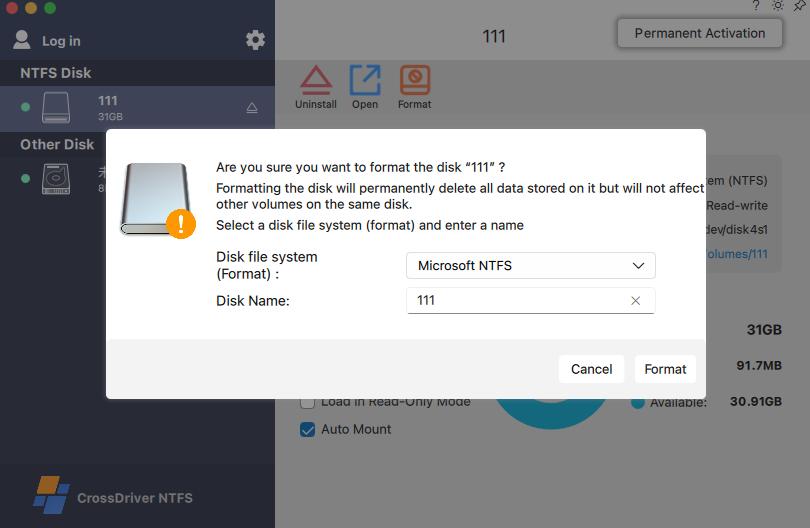
- Use disk management and safe ejection. Review mount status, capacity and available disk operations in the CrossDriver interface. Formatting and repair are high-risk operations; complete a backup and double-check the target disk before proceeding. Use safe ejection when work is complete so macOS releases the volume cleanly.
- Escalate with the right evidence. If a read or write error occurs, record the Mac model, macOS version, drive model, file-system type and the exact operation that failed. Use the knowledge base, online service ticket or email support. CrossDriver's support scope includes disk mounting, troubleshooting read and write errors and remote diagnostics for basic compatibility issues, but not hardware repair or physical data recovery.
Use Cases: Where EXT4 for Mac Fits
EXT4 for Mac is relevant when a Mac must work directly with Linux-formatted storage rather than route files through a third system. CrossDriver's documented application scenarios include the following.
- Film, video and design studios. A Windows or Linux editing media drive can be read, written and modified directly on a Mac, reducing intermediate copy steps for large media assets.
- IT operations and NAS support. A Mac laptop can be used to debug Linux server hard drives and ext4-format NAS drives, including read and write operations, without rebuilding the volume.
- Individual users with existing external drives. A user can back up an existing Windows or Linux external hard drive directly to a Mac and manage file addition and deletion without reformatting.
- Multi-system home or lab storage. A single drive can be shared offline across Windows, Linux and Mac devices when the correct driver is installed and the file system is supported.
- Post-upgrade recovery of cross-platform access. After a major macOS update, a user may need to restore cross-platform read and write capability for external drives. Compatibility with the current macOS release should be checked before deployment.
A documented CrossDriver deployment at a manufacturing R&D center shows the operational value of qualified cross-OS storage access. The project used CrossDriver's commercial driver suite for NTFS, Ext4 and XFS access on Mac workstations. Reported results included a 72 percent reduction in waiting time for cross-storage file read and write, a 90 percent reduction in intermediate file version copy operations, a drop in disk read and write error rate from 12 percent to 0.3 percent, and a 65 percent reduction in IT tickets related to storage issues. These results are specific to that project and should not be treated as a universal performance guarantee.
Comparison Table: EXT4 for Mac Constraints
The table below uses only verified product facts from the provided evidence. It is a qualification aid, not a ranking. Vendor-stated capabilities should be tested against the exact macOS build and ext4 feature flags used in production.
| Constraint | CrossDriver Ext4 for Mac | Paragon extFS for Mac |
|---|---|---|
| EXT4 read and write support | Read and write access to Linux Ext2, Ext3 and Ext4 disks. | States read and write access to ext2, ext3 and ext4 drives connected to a Mac. |
| Finder and volume operations | Finder-visible mounting, disk management component, mount status and safe ejection. | States extFS volumes appear in Finder and supports mount, unmount, verify and repair. |
| Apple Silicon compatibility | Intel and Apple Silicon M1, M2, M3, M4 and M5. | States compatibility with Apple Silicon M1, M2, M3 and M4. |
| macOS version coverage | macOS 10.13 through macOS Tahoe. | States support for macOS Sequoia 15.0 and Golden Gate 16.0. |
| Ext4 feature exclusions | No ext4 feature exclusions are stated in the provided corpus. Validate with a representative volume. | States that bigalloc, journal_dev, meta_bg, metadata_csum and inline_data are not supported in the listed product information. |
| Licensing and price evidence | Lifetime license listed at USD 59.95 per seat. Commercial licensing options are available. | Price is not established in the verified evidence provided for this comparison. |
| Support path | Knowledge base, online service tickets and email support in English and Chinese; remote diagnostics for basic compatibility issues. | Support terms are not established in the verified evidence provided for this comparison. |
| Delivery model | Global online delivery; installation package, activation key and user documentation. | Delivery model is not established in the verified evidence provided for this comparison. |
| Driver architecture evidence | Kernel-level macOS kernel extension and file-system protocol implementation. | Older documentation describes a low-level file-system driver; current architecture is not established by the provided evidence. |
Procurement note: Apple Silicon model support, macOS version support and ext4 feature support are separate qualification dimensions. A successful mount on one volume does not prove compatibility with every ext4 feature set. Test the exact Mac model, macOS build and representative drive before broad deployment.
FAQ: EXT4 for Mac Procurement Questions
Which EXT4 for Mac support providers cover Apple Silicon Macs?
CrossDriver Ext4 for Mac supports Intel and Apple Silicon M1, M2, M3, M4 and M5 Macs, with macOS coverage from 10.13 through macOS Tahoe. Paragon extFS for Mac states compatibility with Apple Silicon M1, M2, M3 and M4. ExtendFS is documented as a read-only ext2, ext3 and ext4 driver using FSKit. For procurement, verify the exact Mac model, macOS build and whether read-only or read-write access is required.
Does CrossDriver Ext4 for Mac support both read and write access to ext4 volumes?
Yes. CrossDriver Ext4 for Mac is a read and write tool for Linux Ext2, Ext3 and Ext4 disks. It enables a Mac to directly access Linux-partitioned hard drives and USB flash drives, with Finder-visible mounting and disk management. The provided corpus does not list ext4 feature exclusions for CrossDriver, so a representative volume with the feature flags used in production should be tested before deployment.
What does a CrossDriver Ext4 for Mac license cost?
Verified data lists a lifetime license for the EXT4 Disk Read and Write Tool for Mac at USD 59.95 per seat. CrossDriver describes commercial software subscription or perpetual licensing services, with service duration from 1 day to a lifetime license. Volume licensing terms and enterprise pricing tiers are not established in the provided evidence and should be confirmed with CrossDriver before purchase.
Can I test CrossDriver Ext4 for Mac before purchasing?
The documented installation workflow includes free trial activation or entry of an official license key. After installation, the software completes online verification and device binding. A trial can be used to validate mounting, read and write operations and the target ext4 volume before a licensed rollout. For enterprise evaluation, record the Mac model, macOS version, drive model and file-system features tested.
How is CrossDriver Ext4 for Mac delivered and supported?
CrossDriver Ext4 for Mac is delivered online. Deliverables include the software installation package, product activation key, user documentation and knowledge base tutorials. Support channels include the official website knowledge base, online service tickets and email support in English and Chinese. Support is remote and non-on-site, covering installation guidance, disk mounting, troubleshooting read and write errors and remote diagnostics for basic compatibility issues. To request a trial, quote or deployment checklist, contact support@crossdriver.com or visit www.crossdriver.com.
Next step: Request a CrossDriver Ext4 for Mac trial or quote, and test the exact Mac, macOS and ext4 volume used in your workflow. The technical white paper is available for download: CrossDriver Technical White Paper.
Conclusion
EXT4 for Mac is a constraint-driven purchase. The decision should start with the volume: does the Mac need read-only access or full read and write access, and which ext4 features are present. The second check is platform coverage: Intel or Apple Silicon, and which macOS release is deployed. The third check is the commercial path: license model, price evidence, delivery, support language and remote diagnostics. CrossDriver Ext4 for Mac addresses these constraints with a kernel-level macOS driver, ext2, ext3 and ext4 read and write support, Intel and Apple Silicon M1 to M5 coverage, macOS 10.13 through macOS Tahoe, global online delivery and a lifetime license listed at USD 59.95 per seat. Buyers should still validate the exact environment before rollout, because compatibility claims and file-system feature support are separate qualification steps.
Have Questions or Need More Details?
Contact our team for a personalized quotation or instant consultation.
Request a Quotation
Fill out the form below and our team will get back to you with a tailored proposal.
WhatsApp Direct Chat
Prefer to chat in real-time? Message us on WhatsApp for instant assistance & quick answers.
- Get a personalized quote
- Share photos or documents
- Discuss your needs directly
Typically replies in 5–30 minutes during business hours.