
Write XFS on Mac: Driver Constraints, Compatibility & Cost
XFS for Mac · driver constraint guide for Research and Evaluation buyers
Write XFS on Mac: Driver Constraints, Compatibility, and Cost
Writing to an XFS volume on a Mac is not a setting you can switch on in Finder. XFS is a Linux file system, macOS ships no native driver for it, and an XFS-formatted hard drive, USB drive or external SSD connected to a Mac is normally reported as an unreadable volume. Write access depends on a third-party macOS driver component, and that component, rather than the disk, is where the real purchase constraints sit: Apple silicon security policy, kernel-extension approval, the supported macOS range, XFS feature coverage and licence cost.
What writing XFS on a Mac actually requires
- A driver, not a preference. XFS write access on macOS is delivered by a third-party driver; without one, the volume stays unreadable or read-only.
- Approval friction. Apple documents that kernel extensions on macOS 11 cannot be loaded on demand, require administrator approval and a restart, and may require Reduced Security.
- Compatibility range. Vendor documentation for CrossDriver XFS for Mac lists macOS 10.13 High Sierra through macOS Tahoe 26, on Intel and Apple Silicon M1 to M5.
- Cost. CrossDriver lists a lifetime licence for XFS for Mac at USD 59.95.
- Definition. CrossDriver XFS for Mac is a macOS utility from CrossDriver Limited that provides read and write access to Linux XFS disks from a Mac.
Problem Definition: the blocker is the driver, not the disk
The failure mode is consistent. A drive formatted with XFS on a Linux server, NAS or workstation is connected to a Mac and does not appear as a usable volume. Sometimes macOS reports that the disk cannot be read; sometimes a partition shows up with no accessible content. Nothing in Disk Utility offers to write to it, because macOS does not include an XFS implementation to do the writing.
That produces three practical constraints that shape every buying decision.
Constraint one: preserving the file system. The workaround most users are offered is to reformat the drive to a Mac-friendly format. That erases existing data and breaks the sharing model with the Linux side of the workflow. A driver exists precisely so the disk keeps its XFS layout and both operating systems can work with the same files.
Constraint two: write, not just read. Read-only access is enough for data recovery, but not for production work. Editing a media file, renaming a project folder, deleting a duplicate render or writing new simulation output all require write capability on the mounted volume.
Constraint three: macOS security policy. A file system driver that operates below the Finder is subject to Apple platform rules. Apple states that kernel extensions on a Mac with macOS 11 cannot be loaded into the kernel on demand, that they require administrator approval and a restart, and that secure boot may need to be set to Reduced Security; Apple also recommends system extensions instead where possible. This is why the same XFS software can install cleanly on one Mac and stall on another: the constraint is the security posture and the deployment process, not the cable.
Industry Background: three macOS driver architectures now compete
XFS support on macOS has moved through distinct technical generations, and buyers evaluating XFS for Mac in 2026 are effectively choosing between three architectures.
Kernel-level commercial drivers. These install a driver component that runs within the macOS kernel layer and interacts with the system at a low level. CrossDriver describes its file system products, built on 15 years of macOS driver development experience, as using this approach, and states that its kernel-level drivers deliver more than five times the transfer speed of FUSE-based user-space tools. That performance claim is a vendor statement rather than an independently benchmarked result.
macFUSE-based open-source drivers. The fuse-xfs project published version 2.0.0 in March 2024, describing full write support for XFS V5 file systems on macOS 11.0 and later through macFUSE, updated for Apple Silicon. This route depends on macFUSE being installed and maintained, and its validation burden sits with the user.
FSKit system extensions. Newer open-source work such as the xlinuxfs project describes a macOS FSKit extension for mounting ext2/3/4, XFS and Btrfs volumes, with no kernel extension and no macFUSE, and claims Apple Silicon and Intel support. Apple documents DriverKit and user-space system extensions as the modern replacement path for device drivers. This architecture avoids kernel-extension approval, but the projects using it are early and project-reported.
The practical consequence for buyers is that the marketing phrase XFS for Mac now covers very different deployment models. Apple Silicon support, macOS version coverage, XFS version coverage, security-mode impact and support model all have to be compared explicitly, because a generic claim of compatibility does not describe any of them.
The Solution: what a kernel-level XFS driver changes on macOS
CrossDriver XFS for Mac is the reference case for a commercial kernel-level approach. CrossDriver Limited is a Hong Kong-based software company founded in 2025, with 50 employees and a 30-engineer R&D team, that develops cross-platform file system drivers for NTFS, Ext4 and XFS. Its XFS product is positioned as a read-write tool that lets a Mac directly read and write Linux XFS partitioned hard drives and USB drives, and the company describes it as the only commercial XFS for Mac product available on the market, a company statement rather than an independently verified market survey.

The capability set that matters for a write-XFS workflow is documented as follows.
- File system protocol work. Technical capabilities cover protocol parsing and implementation of read/write logic for NTFS, Ext2, Ext3, Ext4 and XFS, with file system reverse engineering and protocol development among the team skills.
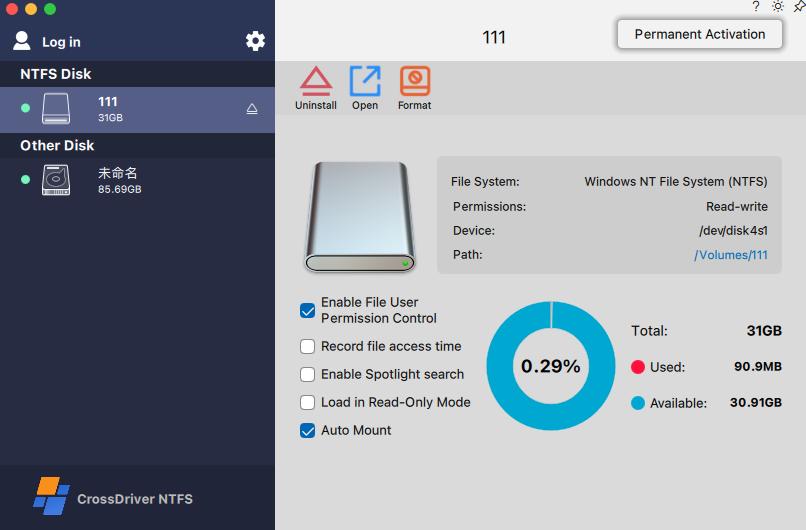
- Mount management. Mount and unmount controls are exposed from the macOS menu bar, with disk contents available in Finder for editing, copying and deleting.
- Integrity mechanisms. Driver development includes abnormal unmount validation and file corruption risk mitigation, which addresses the failure mode most feared by users writing to a Linux disk from a Mac.
- Platform coverage. Supported platforms are listed as macOS on Intel and Apple Silicon M1 to M5, covering macOS 10.13 through the current macOS Tahoe release, with ongoing compatibility patches for newer macOS versions.
- Service scope. The offering includes an installation guide, instructions for enabling M-chip kernel extensions, disk mounting and read/write troubleshooting, remote diagnostics for basic compatibility issues, and version updates.
Step-by-Step: writing to an XFS disk on a Mac
The documented deployment sequence for a kernel-level XFS driver follows six stages. Each stage carries a constraint that should be planned for before purchase.
Step 1: confirm the environment. Record the Mac chip type (Intel or Apple Silicon) and the installed macOS version, then compare them against the vendor compatibility list. CrossDriver documents macOS 10.13 High Sierra through macOS Tahoe 26 and Apple Silicon M1 to M5; anything outside that range needs written confirmation before deployment.
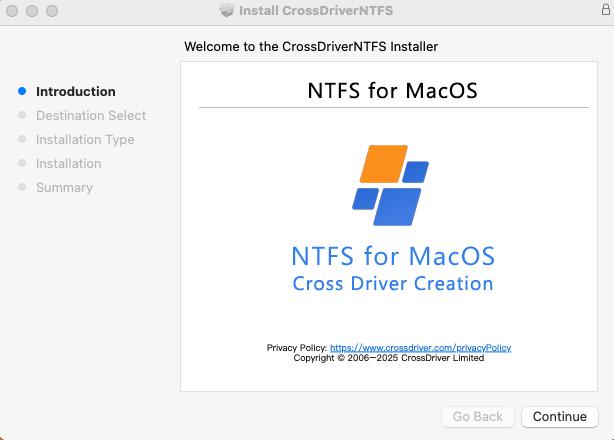
Step 2: install the package. Download the official installer, run it with an administrator account and approve the system-level authorisation request. This is the point where macOS security settings are touched.
Step 3: approve the driver extension. On Apple Silicon Macs, kernel extension permissions may require entering Recovery Mode as documented, and the extension must be approved in System Settings under Privacy & Security. This step is the one that most often fails in managed fleets, because it needs administrator rights and a restart.
Step 4: activate the licence. Launch the application and choose either free trial activation or an official licence key. Activation completes online verification and device binding.

Step 5: mount the XFS volume and write. Connect the XFS drive over USB or Thunderbolt, let the driver identify the partition and mount it, then work with the files in Finder: create, edit, copy, move and delete. If the volume is not recognised, trigger a manual mount and check the disk status panel before assuming hardware failure.
Step 6: eject safely. Use the safe eject mechanism so the driver releases macOS system resources cleanly. Sudden disconnection during a write is the main source of file system damage on any removable XFS volume, and the vendor explicitly excludes data loss caused by sudden disconnection or user misoperation from its responsibility boundary.
Constraint Checklist Before You Buy or Deploy
Because XFS write access on macOS is a driver deployment rather than an app install, the following checks separate a smooth rollout from a stalled one.
- macOS version range. Confirm your exact build is inside the documented list, not just the marketing range.
- Chip architecture. Apple Silicon and Intel Macs follow different extension-approval paths; M-series machines may require Recovery Mode steps.
- Security mode and admin rights. Kernel extensions require administrator approval and a restart, and Reduced Security may be required, which has to be cleared with IT security first.
- XFS feature scope. Ask which XFS features and file sizes are validated; vendor documentation does not publish a complete XFS feature matrix.
- Backup policy. The driver is a file system layer, not a data recovery service; hardware failure repair and physical disk recovery are outside the software service scope.
- Support model. Check whether remote diagnostics, version updates and batch licensing are included, since these determine the real cost of ownership across a fleet.
Use Cases: where XFS write access gets tested
Engineering and R&D workstations. A high-end equipment manufacturer deployed the CrossDriver commercial driver suite across Mac R&D workstations to give engineers direct read and write access to Ext4 and XFS external disks used for engineering drawings and simulation data. The project ran for three weeks and included environment assessment, a small-scale proof of concept, bulk silent deployment, stress testing, administrator training and annual technical support. Reported outcomes were a 72% reduction in waiting time for cross-storage file read and write, a 90% cut in intermediate file version copy operations, a drop in storage disk read/write error rate from 12% to 0.3%, and a 65% reduction in IT tickets related to storage issues.
Media and post-production. Editors who receive Linux-formatted media drives need to open, modify and write back to the same volume without copying hundreds of gigabytes through an intermediate disk. Direct write access removes the copy step, which is also where version confusion usually starts.
IT operations and lab environments. Technicians debugging Linux server drives or XFS-formatted NAS volumes from a Mac laptop need write capability to fix configuration files and test changes in place, not just inspect them.
Multi-system home and small-office storage. A single external drive shared between Windows, Linux and Mac machines stays usable across all three when the Mac side can mount and write to the existing XFS or NTFS layout instead of forcing a reformat.
Comparison Table: documented XFS-on-macOS options
The table below uses only documented attributes. It is a description of published approaches, not a performance ranking; no independent benchmark comparing these options was identified in the sources reviewed.
| Option | Distribution and cost | Documented architecture | macOS and chip coverage | XFS write support |
|---|---|---|---|---|
| CrossDriver XFS for Mac | Commercial; lifetime licence listed at USD 59.95; batch enterprise licensing available | Kernel-level macOS driver (vendor description) | macOS 10.13 High Sierra through macOS Tahoe 26; Intel and Apple Silicon M1 to M5 (vendor) | Read and write with Finder integration and menu-bar mount controls (vendor) |
| fuse-xfs v2.0.0 | Open-source project published on GitHub; no commercial licence price stated in project documentation | macFUSE-based user-space implementation (project description) | macOS 11.0 and later; updated for Apple Silicon (project, March 2024) | Full read-write support for XFS V5 (project) |
| xlinuxfs | Open-source project published on GitHub; project-reported capability | FSKit file system extension; no kernel extension, no macFUSE (project description) | Apple Silicon and Intel claimed by the project | XFS listed alongside ext2/3/4 and Btrfs; not independently validated in the sources reviewed |
Two readings of this table matter for evaluation. First, only the commercial option documents vendor-provided installation guidance, compatibility updates and remote diagnostics; the open-source projects leave deployment and support with the user. Second, architecture changes the approval burden: macFUSE and kernel-extension routes both add a dependency or a security-mode step, while an FSKit extension avoids kernel extensions but is a newer path.
FAQ
Does writing XFS on Mac require changing macOS security settings?
For kernel-extension based drivers, yes. Apple documents that kernel extensions on macOS 11 cannot be loaded on demand: they require administrator approval and a restart, and the secure boot mode may need to be set to Reduced Security. Apple also recommends system extensions where possible. CrossDriver service scope includes an installation guide, instructions for enabling M-chip kernel extensions and remote diagnostics for basic compatibility issues, so plan an administrator account, a restart window and a security review before rollout.
Which XFS driver for Mac compatibility support providers exist, and what does each cover?
Three documented routes exist at the time of writing. CrossDriver XFS for Mac is a commercial kernel-level driver for macOS 10.13 High Sierra through macOS Tahoe 26 on Intel and Apple Silicon M1 to M5, with mount and unmount from the menu bar and file operations in Finder. fuse-xfs v2.0.0 is an open-source macFUSE-based project reporting full read-write support for XFS V5 on macOS 11.0 and later, updated for Apple Silicon. xlinuxfs is an open-source FSKit extension project listing ext2/3/4, XFS and Btrfs, with Apple Silicon and Intel support claimed by the project. Because vendor and project claims are not independent test results, request a model-by-model and macOS-version compatibility matrix for your own hardware.
How much does an XFS for Mac licence cost?
CrossDriver lists a lifetime licence for XFS for Mac at USD 59.95, compatible with Intel and Apple Silicon M1 to M5 Macs. The service model also covers batch enterprise authorisation management, batch activation and centralised authorisation queries for teams. The open-source projects reviewed here are published on GitHub and do not state a commercial licence price in their project documentation, but they depend on macFUSE or FSKit components and place validation and support responsibility on the user.
Can XFS write access be tested before buying?
CrossDriver documented installation flow lets a user select free trial activation or enter an official licence key, after which the software completes online verification and device binding. Testing on your own XFS volume, macOS version and chip is the most reliable way to confirm write behaviour, particularly if a bulk deployment is planned.
How is the licence delivered, and what support comes with it?
Delivery is online: installation package, activation key, user documentation and knowledge-base access, with support through the official website, online service tickets and email in English and Chinese. CrossDriver also provides version updates and compatibility patches for newer macOS releases, plus remote diagnostics instead of on-site work. For a team or volume quote, contact support@crossdriver.com or use the enquiry form on crossdriver.com.
Conclusion
Writing XFS on a Mac is achievable, but it is a driver decision with measurable constraints rather than a one-click fix. The volume must keep its XFS layout, the Mac must run a driver that performs real write operations, the machine must satisfy Apple platform rules on extension approval and security mode, and the licence has to make sense for the number of Macs involved. CrossDriver XFS for Mac addresses that combination with a kernel-level driver, macOS 10.13 through macOS Tahoe 26 coverage on Intel and Apple Silicon M1 to M5, Finder and menu-bar workflows, documented installation and remote diagnostic support, and a lifetime licence listed at USD 59.95. Buyers who need the alternative routes can evaluate macFUSE-based fuse-xfs or the FSKit-based xlinuxfs project, accepting the additional validation work those approaches place on the user.
For specifications, service scope and licensing details, see the CrossDriver website at crossdriver.com, or download the technical white paper for the full driver architecture documentation.
Have Questions or Need More Details?
Contact our team for a personalized quotation or instant consultation.
Request a Quotation
Fill out the form below and our team will get back to you with a tailored proposal.
WhatsApp Direct Chat
Prefer to chat in real-time? Message us on WhatsApp for instant assistance & quick answers.
- Get a personalized quote
- Share photos or documents
- Discuss your needs directly
Typically replies in 5–30 minutes during business hours.