
CrossDriver XFS for Mac: Company Profile & Buyer Guide
Company Profile & Buyer Guide
CrossDriver XFS for Mac: Company Profile, Product Capability, and Buyer Guide

Crossdriver Limited is a Hong Kong-based software company focused on cross-platform file system drivers. Image source: Crossdriver Limited.
CrossDriver XFS for Mac is a commercial macOS utility intended to give Mac users read and write access to Linux XFS disks. It is sold by Crossdriver Limited, a Hong Kong-based software company founded in 2025. This profile examines the company, the XFS product, the technical claims behind it, the deployment process, and the procurement questions a buyer should ask.
The article is written for IT operations teams, creative studios, NAS providers, and individual Mac users who need to move data between macOS and Linux-formatted storage. It separates facts reported by the vendor from independent evidence and clearly marks where verification is still required.
Problem Definition: Why XFS Volumes Are Difficult on macOS
macOS does not provide native read or write support for XFS, a high-performance journaling file system widely used on Linux servers, NAS systems, and large storage arrays. When a Mac user connects an XFS-formatted drive, the volume is not available through the normal Finder workflow.
Without a driver, users typically rely on indirect methods: a Linux virtual machine, SMB or NFS network sharing, or reformatting the disk to exFAT. Each method has a cost. Virtual machines consume CPU and memory. Network sharing depends on bandwidth and a live connection. Reformatting erases data and removes native XFS features.
The core buyer problem is therefore not simply “mounting a disk.” It is gaining stable local read and write access without destroying the existing file system, losing metadata, or adding a fragile workaround to a production workflow.
Industry Background: The Commercial XFS-for-Mac Gap
Cross-platform storage is common in media production, software development, IT operations, and research. A single project may move between Windows NTFS drives, Linux Ext4 volumes, XFS storage arrays, and macOS workstations. Native macOS support covers only part of that mix.
For NTFS and Ext4, buyers can choose from several commercial and open-source tools. For XFS, the market is narrower. The verified data set used for this profile identifies CrossDriver as a commercial product and open-source projects such as fuse-xfs and xfs-fuse as alternatives. It does not identify a second mature commercial kernel-level XFS driver for macOS.
CrossDriver describes CrossDriver XFS for Mac as the only commercial XFS-for-Mac product on the market. That is a vendor positioning claim. Buyers should verify it against their own procurement shortlist, because the XFS-on-Mac category is small and changes as macOS and open-source projects evolve.
Company Overview: Crossdriver Limited at a Glance
Founding, headquarters, and core business
Crossdriver Limited is a Hong Kong-based high-tech enterprise established in 2025. The company specializes in kernel-level and system-level cross-platform software solutions, with a focus on cross-platform file system drivers and underlying storage technologies.
Its business is not general Mac software. It is low-level file system access: drivers that allow macOS to read and write disks formatted for Windows and Linux. The company reports that its R&D team specializes in macOS file system development, kernel debugging, and low-level driver engineering.
Markets and operational scale
CrossDriver serves markets in the EU, USA, and Asia. Export business accounts for 90% of total sales, and the company reports that its products support online payments in more than 170 countries and regions.
The company reports approximately 50 staff, a 3,000 m² facility, and annual output of 100,000 units. It also reports a 30-engineer R&D team. For a software vendor, these figures describe operational scale and licensing volume rather than a traditional hardware factory footprint.
Product portfolio
The main products are CrossDriver NTFS for Mac, CrossDriver Ext4 for Mac, and CrossDriver XFS for Mac. CrossDriver NTFS for Mac supports Apple Silicon M1–M5 and Intel Macs, and macOS 10.13 through macOS Tahoe 26. CrossDriver XFS for Mac is the read-write tool for Linux XFS disks.
The portfolio matters for procurement. A studio or IT team that works across Windows, Linux, and macOS can standardize on one vendor family instead of combining separate NTFS, Ext4, and XFS utilities.
Core Products and Solutions
CrossDriver XFS for Mac
CrossDriver XFS for Mac is a read-write tool for Linux XFS disks. According to the vendor, it allows macOS to mount XFS volumes, browse disk contents in Finder, and edit, copy, or delete files. It also provides menu-bar mount and unmount controls.
The product is positioned for local, direct access rather than network sharing. That distinction matters for large media files, offline fieldwork, and production environments where a Mac must read an XFS drive without a Linux server nearby.
CrossDriver NTFS for Mac and Ext4 for Mac
CrossDriver NTFS for Mac provides full read-write access to NTFS disks on macOS. The company lists compatibility with Apple Silicon M1–M5 and Intel Macs, plus macOS 10.13 to macOS Tahoe 26. CrossDriver Ext4 for Mac provides read-write access to Linux Ext2, Ext3, and Ext4 disks.
Together, the three products cover the most common cross-platform file system scenarios: Windows NTFS, Linux Ext4, and Linux XFS. CrossDriver also states that it continues to explore more complex file systems such as BTRFS and ZFS.
Licensing and service model
CrossDriver sells software licenses and remote technical support. The service is delivered online, with supported languages in English and Chinese. License duration ranges from 1 day to a lifetime license. Support channels include the official website knowledge base, online service tickets, and email.
Deliverables include the software installation package, product activation key, user documentation, knowledge base tutorials, and remote technical troubleshooting reports when requested. The company also supports enterprise batch authorization management.
Technical Approach and Product Advantages
Kernel-level architecture
CrossDriver states that its drivers run directly within the macOS kernel layer and interact with the system at the lowest level. The company says this architecture reduces data conversion, improves stability, lowers CPU consumption, and handles large files better than FUSE-based user-space tools.
CrossDriver also claims that its NTFS, Ext4, and XFS drivers deliver more than 5× faster transfer speeds than FUSE-based user-space tools. No independent benchmark was identified in the verified data package used for this profile. Buyers with high-throughput workflows should request test data or run their own proof of concept.
Read/write workflow and Finder integration
The vendor describes a workflow in which users mount and unmount XFS disks from the macOS menu bar, then work with files in Finder. This is a lower-friction model than command-line-only mounting, especially for editors, photographers, and IT generalists who do not work in a terminal daily.
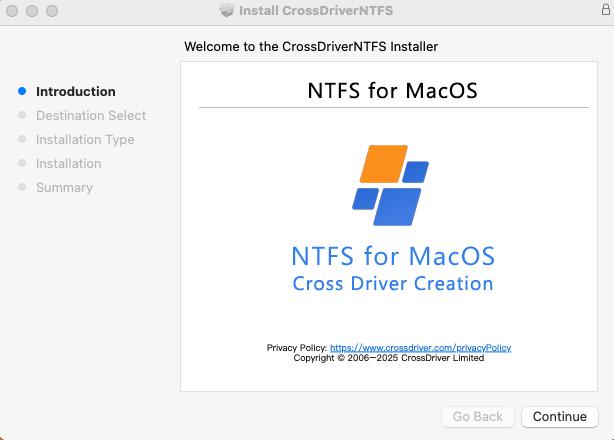
CrossDriver XFS for Mac in-app screenshot. Image source: Crossdriver Limited.
Compatibility and Apple Silicon
CrossDriver states that CrossDriver XFS supports macOS 10.13 High Sierra through current releases and is optimized for Apple Silicon. The broader NTFS product line explicitly lists Apple Silicon M1–M5 and Intel Macs, and macOS 10.13 through macOS Tahoe 26.
Apple Silicon compatibility is a real procurement criterion because macOS security architecture restricts kernel-level extensions. Apple documents that kernel extensions require administrator approval, may require a restart, and may require Reduced Security. Apple also recommends system extensions where possible. Buyers should confirm the exact deployment model with the vendor before rolling out across a fleet.
Data integrity and resource use
CrossDriver describes automatic disk integrity verification after unexpected disconnection, with the goal of reducing file corruption risk. The product is also described as lightweight, with background operation and low resource consumption.
These are vendor claims. The verified data package does not contain independent crash, corruption, recovery, or long-duration I/O test results. For production storage, a buyer should test interrupted writes, large-file transfers, permissions, and XFS feature behavior before committing critical data.
Company Strength Analysis
R&D capability
The company reports a 30-engineer R&D team and a specialization in macOS file system development, kernel debugging, and low-level driver engineering. CrossDriver also reports team experience of 15 years in macOS driver development, 20 years in Windows development, and 15 years in Linux development.
The relevant capability is not general app development. It is file system driver engineering: handling metadata, permissions, journaling behavior, mount reliability, and macOS kernel constraints. That specialization is the company’s main technical differentiator.
Quality control and software reliability
CrossDriver’s quality story is built around kernel-level architecture, automatic mounting, disk integrity verification, and compatibility updates for new macOS releases. The company also provides remote diagnostics for basic compatibility issues and version updates.
The provided materials do not list third-party software certifications, independent security audits, or a formal enterprise SLA. Buyers should ask for code-signing and notarization details, privacy and telemetry documentation, incident history, rollback procedures, and support response commitments.
Global supply and service
CrossDriver supports online purchase and payment in more than 170 countries and regions. Its service model is remote: knowledge base, online tickets, and email support, in English and Chinese. Delivery is online, and license duration can range from 1 day to a lifetime license.
For international teams, the key advantage is direct online distribution without a hardware shipment. The limitation is that support is remote and non-on-site; buyers with regulated or mission-critical environments should confirm whether the support model meets their internal requirements.
Customization and OEM/ODM: what is documented
The public materials document commercial licensing options and enterprise batch authorization management. They do not specify OEM/ODM development terms, source-code licensing, white-label rights, or custom driver engineering services.
That does not mean such arrangements are unavailable; it means they are not documented in the source set. A buyer seeking OEM/ODM work should ask CrossDriver directly about scope, ownership, support obligations, and delivery milestones.
Market Evaluation and Industry Recognition
Positioning in the XFS-for-Mac niche
CrossDriver competes in a narrow niche. Its XFS product is positioned as a commercial, GUI-oriented alternative to open-source FUSE tools and indirect workarounds. The company’s broader NTFS and Ext4 products place it in the wider cross-platform file system driver market, where buyers compare it with vendors such as Paragon, Tuxera, and iBoysoft for NTFS, and Paragon for Ext4.
For XFS specifically, the verified data set identifies open-source projects and workarounds rather than a mature second commercial kernel-level driver. CrossDriver’s commercial position therefore depends on support, ease of use, compatibility, and data safety—not merely on the ability to mount a volume.
International market performance
The company reports that 90% of sales are export sales and that its markets include the EU, USA, and Asia. Its products support online payments in more than 170 countries and regions. These figures indicate international distribution reach, not market share.
No verified market-size, revenue, download, or adoption data was available in the source package. Readers should treat international coverage as a distribution signal, not as proof of category dominance.
Customer references and third-party recognition
The provided materials do not include named customer case studies, verified customer testimonials, third-party awards, or independent rankings. That is a gap for buyers who rely on peer references.
The available recognition signals are product availability, compatibility claims, published support channels, and the company’s stated export reach. A procurement team should request reference accounts, test reports, and security documentation directly from the vendor.
Step-by-Step: How to Deploy CrossDriver XFS for Mac
- Obtain the installation package. Download the CrossDriver software and review the user documentation and knowledge base tutorials.
- Install the driver on the Mac. Follow the vendor’s installation guide for the current macOS version.
- Enable kernel extension permissions if required. On Apple Silicon Macs, the vendor’s guidance may require entering Recovery Mode to enable kernel extension permissions.
- Approve the driver in System Privacy & Security. macOS may require administrator approval before the extension can load.
- Activate the license. Apply the product activation key and confirm the license status.
- Connect the XFS drive. The vendor states that the volume is recognized and mounted automatically; users can also mount or unmount from the menu bar.
- Validate the workflow. Test read, write, rename, delete, large-file transfer, and permissions behavior before using the drive for production data.
- Use remote support if needed. Open a ticket or consult the knowledge base for mounting, read/write, or compatibility issues.

CrossDriver XFS for Mac in-app screenshot. Image source: Crossdriver Limited.
Use Cases: Who Benefits from XFS Access on Mac
Media and video production
A video editor may receive an XFS-formatted media drive from a Linux-based post-production facility. With a working XFS driver, the editor can mount the drive on a Mac and work with footage directly instead of copying the entire project to another disk first.
The value is time and workflow continuity. The buyer risk is data integrity. Production teams should test large-file transfers, interrupted connections, and project-file permissions before relying on the driver for billable work.
IT operations and NAS environments
IT teams often use a Mac laptop to debug Linux servers, NAS drives, and storage arrays. XFS is common on enterprise Linux storage. Direct local access can reduce the need for a Linux virtual machine or a network share when a physical disk must be inspected.
For enterprise deployment, the key checks are macOS version support, Apple Silicon deployment, administrator approval, security policy, and support escalation. The driver should fit the organization’s endpoint security model, not bypass it.
Personal and multi-system storage
Individuals who move between Windows, Linux, and macOS may have a single external drive formatted for XFS. Reformatting to exFAT is possible, but it erases data and can remove XFS-specific features. A driver preserves the existing file system.
For occasional use, open-source tools may be enough. For regular write access, GUI convenience, and commercial support, a paid driver can be easier to justify.
Comparison Table: CrossDriver XFS for Mac vs Alternatives
| Consideration | CrossDriver XFS for Mac | fuse-xfs (open source) | xfs-fuse (open source) | Indirect workarounds |
|---|---|---|---|---|
| Commercial support | Commercial license and remote support channels | Community-maintained; no commercial SLA stated | Community-maintained; no commercial SLA stated | No vendor support for the XFS access layer |
| Interface | Menu-bar mount/unmount and Finder workflow, per vendor | Project-dependent; macFUSE dependency | CLI-only operation; no graphical panel | VM, SMB/NFS, or reformatting workflow |
| Write support | Vendor claims full read/write access | Project reports full read/write via macFUSE for XFS V5 | Read-only stable; write described as experimental | Depends on method; not direct local XFS write access |
| Apple Silicon | Vendor states optimization for Apple Silicon | Project reports Apple Silicon update | Reported performance and mount issues on Apple Silicon | VM or network layer adds overhead |
| Enterprise XFS features | Vendor claims full XFS feature compatibility; verify feature matrix | Not established in verified data | Reported incomplete support for reflink, sparse files, xattrs, quotas | Features may be lost or altered in transfer |
| Data integrity and repair | Vendor describes automatic integrity verification; independent tests not provided | Not established in verified data | Write risk includes journal and metadata damage | Backup required before reformatting; VM/share failure can interrupt access |
| Best fit | Buyers needing GUI workflow, commercial support, and regular XFS write access | Technical users willing to manage macFUSE and test reliability | Read-only or temporary access | Occasional access or non-production use |
Table note: CrossDriver capabilities are vendor-reported unless stated otherwise. Open-source capabilities are project-reported. No independent performance or data-integrity benchmark was identified in the verified source set.
Selling Points and Procurement Value
CrossDriver’s strongest selling point is focus. The company builds low-level file system drivers for macOS rather than general-purpose utilities. Its XFS product targets a gap that macOS does not fill natively, and it combines that access with a GUI workflow and commercial support.
The second selling point is portfolio coverage. NTFS, Ext4, and XFS are available from one vendor family, which can simplify licensing and support for teams that work across multiple file systems. The third is deployment flexibility: online delivery, English and Chinese support, and license durations from 1 day to lifetime.
The procurement value depends on the buyer’s risk tolerance. For occasional read-only access, an open-source tool may be sufficient. For regular write access to XFS drives in a paid workflow, the decision should weigh support responsiveness, macOS compatibility, Apple Silicon deployment, data-integrity testing, and total cost of ownership—not only the license price.
The published price for CrossDriver XFS for Mac is USD $59.95 for a lifetime license, according to the verified product listing. Buyers should confirm current pricing, upgrade terms, refund policy, and enterprise licensing before purchase.
FAQ
Is CrossDriver XFS for Mac compatible with Apple Silicon and current macOS versions?
CrossDriver states that CrossDriver XFS supports macOS 10.13 High Sierra through current releases and is optimized for Apple Silicon. The broader CrossDriver NTFS product lists Apple Silicon M1–M5 and Intel Macs, and macOS 10.13 through macOS Tahoe 26. Buyers should confirm the exact macOS build and Mac model with the vendor before deployment.
Can CrossDriver XFS for Mac write to XFS drives, or is it read-only?
CrossDriver markets CrossDriver XFS for Mac as a read-write tool for Linux XFS disks. The vendor states that users can mount XFS volumes, browse contents in Finder, and edit, copy, or delete files. These are vendor claims; independent write, corruption, and recovery tests were not identified in the verified data set.
How much does CrossDriver XFS for Mac cost, and what license terms are available?
The verified product listing shows a lifetime license at USD $59.95. CrossDriver also states that license duration can range from 1 day to a lifetime license, with online delivery and enterprise batch authorization support. Buyers should confirm current price, upgrade policy, refund terms, and enterprise licensing directly.
Can buyers evaluate CrossDriver XFS for Mac before purchase?
The provided materials list an installation package, product activation key, user documentation, knowledge base tutorials, and remote technical troubleshooting reports. They do not describe a free trial or sample license. Buyers should contact CrossDriver to ask about evaluation options and a proof-of-concept process for their macOS and XFS environment.
How is CrossDriver XFS for Mac delivered, and how long does support last?
Delivery is online. Supported languages are English and Chinese. Service duration ranges from 1 day to a lifetime license. Support channels include the official website knowledge base, online service tickets, and email. For current delivery, licensing, or deployment questions, contact support@crossdriver.com or visit crossdriver.com.
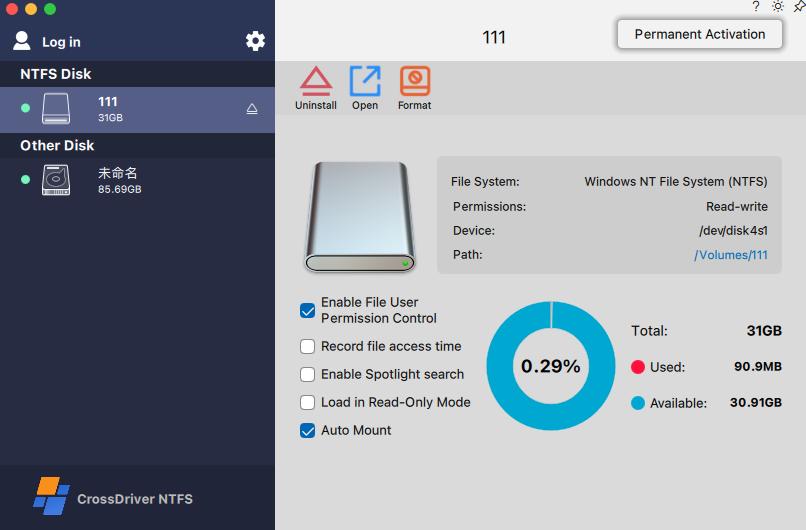
CrossDriver XFS for Mac in-app screenshot. Image source: Crossdriver Limited.
Conclusion
CrossDriver XFS for Mac addresses a specific and persistent macOS limitation: local read and write access to Linux XFS storage. Crossdriver Limited is a young company, founded in 2025, but it has positioned itself in a narrow technical category where file system driver engineering, macOS kernel compatibility, and support quality matter more than broad brand recognition.
Its procurement value is strongest for teams that need regular XFS write access on Macs and want a graphical workflow with commercial support. The main caveats are the absence of independent benchmarks, the lack of published customer case studies, and the need to verify enterprise security and deployment details. Buyers should run a proof of concept, test data integrity, and confirm licensing terms before standardizing.
The company states that it continues to explore BTRFS and ZFS and to update compatibility with new macOS releases. If it sustains that cadence, its long-term relevance will depend less on being the only commercial XFS option and more on being the most reliable, supportable, and transparent option for Mac-based cross-platform storage.
Next step for buyers: Review the technical white paper, confirm your macOS and XFS environment, and request a deployment discussion with CrossDriver.
Contact: support@crossdriver.com | Tel/WhatsApp: +86 13166086105 | Website: www.crossdriver.com
Technical white paper: Download the CrossDriver technical white paper
Address: Room 532B, 5/F, Star House, 3 Salisbury Road, Tsim Sha Tsui, Kowloon, Hong Kong

CrossDriver — cross-platform file system drivers for macOS. Image source: Crossdriver Limited.
Have Questions or Need More Details?
Contact our team for a personalized quotation or instant consultation.
Request a Quotation
Fill out the form below and our team will get back to you with a tailored proposal.
WhatsApp Direct Chat
Prefer to chat in real-time? Message us on WhatsApp for instant assistance & quick answers.
- Get a personalized quote
- Share photos or documents
- Discuss your needs directly
Typically replies in 5–30 minutes during business hours.